Frequently Asked Questions
What does 'Registration status' mean?
BEING PROCESSED
This status indicates that your application has been received and is currently being processed by our representatives.
MISSING INFO
This status indicates that data is missing. For example, the serial number provided is not valid or the proof of purchase does not show the date of purchase. The reason for this status is displayed under the 'Comments' section.
VALID
This status indicates that all data has been provided and your registration has been successfully validated, i.e. you don’t need to provide any additional information in relation to your claim.
INVALID
This status indicates that the registration does not comply with the promotional terms and conditions. For example, the purchase was not made within the valid promotional dates. The reason for this status is displayed under the 'Comments' section.
What does 'Transaction status' mean?
PROCESSED
This status indicates that the transaction has been organised and no further action is required.
REISSUED
This status indicates that the previous transaction was not successful and has been processed again.
SETUP/BEING PROCESSED
This status indicates that the registration has been received and is currently being processed.
READY FOR PROCESSING
This status indicates that the registration has been reviewed and approved. It is currently being queued for processing.
RETURNED
This status indicates that the transaction was unsuccessful. This is because the details for the transaction are insufficient.
RESENT FOR PROCESSING
This status indicates that the transaction details have been re-confirmed and the transaction is being processed again.
What does 'Payment Due Date' mean?
This is the date when you can expect the transaction to be received.
I have provided my proof of purchase. Why do you keep asking me to provide it?
The only valid and acceptable proof of purchase is the Sales Invoice or a VAT purchase receipt. You may have provided a delivery note which is not considered as valid proof of purchase.
Note that a valid proof of purchase must clearly show your purchase date, product purchased, store name and total amount paid.
What does 'Actual Payment Date' mean?
This is the date when the transaction was actually made.
Please note that for bank transfers it may take a few more days until the amount appears in your bank account.
This is the only proof of purchase I have been supplied with. I do not have any other document.
Please be advised that your proof of purchase should display date of purchase, product purchased, store/vendor's name and price paid. Contact your vendor to obtain a valid invoice/ till receipt.
What does 'Beneficiary name' mean?
The beneficiary name (account holder’s name) is the name of the titular of the bank account. It is either a name of a person or a name of a company, organization etc.
I have uploaded my bank details but when I click on the bank transfer details link, it asks me to provide them again.
Your bank details are sensitive information which should not stay visible in your Online Tracking System page. If you have submitted this information successfully, one of our representatives will process it and you will shortly receive a confirmation e-mail.
Where can I find the serial number of my device?
Please note that the serial number is an alphanumerical sequence and the most common location of the serial number is on a sticker stamped on the base of your device or on your product box.
How can I be sure that my bank details are being securely stored in your system?
Please be informed that our registration form is highly secured and the transmission of data is encrypted.
Our web form and our Online Tracking System security is certified by RapidSSL CA. Your personal information is being securely stored and can not be accessed by non-authorized parties.
I want to change my log in details for the Customer Online Tracking System. How can I do that?
If you are not logged into the Online Tracking System, use your username and the "Forgotten Password" link to reset your password.
If you are already logged in, you can update your login details by clicking on the "Update Login Details" button in the top right corner of the system. From there, you will see options to "Change Username" and "Change Password".
I have uploaded the requested information. Why is the status of my registration still 'Missing info'?
If you have ticked 'Please send me an email confirming my recent amends to my registration' when submitting any details, you will automatically receive confirmation of the upload.
Please note that, after the upload, a representative will need to review your details. You will receive another email when this is complete.
I cannot upload my proof of purchase.
Your file should not be larger than 8 MB. You can only upload JPG, TIF and PDF.
I need to submit additional details or update the current details related to my purchase (serial number, barcode). How can I do that?
To submit additional details, log into the Online Tracking System using your login credentials.
To submit or update details related to your purchase, go to the “Update Data” section in the table and select the relevant detail you wish to update.
What is the barcode and where can I find it?
A barcode is a universal number assigned to each product model that is manufactured and distributed.
It consists of numbers and a pattern of parallel lines of varying widths, printed on the product package.
My product was faulty and the retailer replaced it with a new one. How do I proceed?
We would kindly ask you to provide the new details for the product - proof of purchase and serial number.
If you have already received your incentive, there is no need to return it.
I was not happy with the purchase and returned my product to the store. How do I proceed?
If you have returned your product and have not yet received your incentive, you need to cancel your claim. To do this, log into the Online Tracking System and select “Cancel Claim” under the “Update Data” heading located in the table.
Please be informed that if you have already received the incentive you will also need to return it back as outlined in the terms and conditions.
I have exchanged my product for another model. How do I proceed?
If you have returned your product and have not yet received your incentive, you need to cancel your claim. To do this, log into the Customer Online Tracking System and select “Cancel Claim” under the “Update Data” heading.
If the promotion is still active and the newly purchased product is eligible, please register it by visiting the promotion site.
Please be informed that if you have already received the incentive for the old product you will also need to return it back as outlined in the terms and conditions.
I need to upload additional files related to my purchase (proof of purchase, picture of serial number, barcode cutout picture). How can I do that?
To submit additional files, log into the Online Tracking System using your login credentials. To upload files related to your purchase, go to the “Upload File” section in the table and select the relevant detail you want to upload.
I need to cancel my claim. How can I do that?
To cancel your claim, log into the Customer Online Tracking System using your login credentials. Go to the “Update Data” heading in the table and select “Cancel Claim” from the menu. Please provide a reason for the cancellation, as further action may be required.
I need to update my postal address. How can I do that?
To update your postal address, log into the Online Tracking System using your login credentials. Click on the “Update Postal Address” button in the top right corner of the system.
I need to update my payment details (bank details, Revolut details). How can I do that?
To update your payment details, log into the Customer Online Tracking System using your login credentials. Click on the “Update Payment Details” button in the top right corner of the system.
Terms and Conditions
FUJIFILM Promotion November 2026 until January 2027
TERMS & CONDITIONS
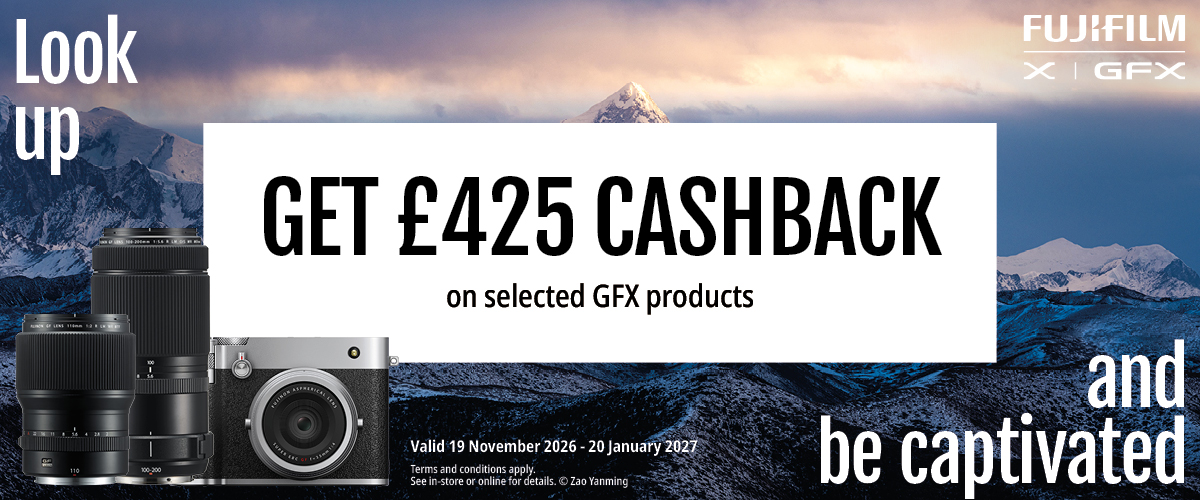
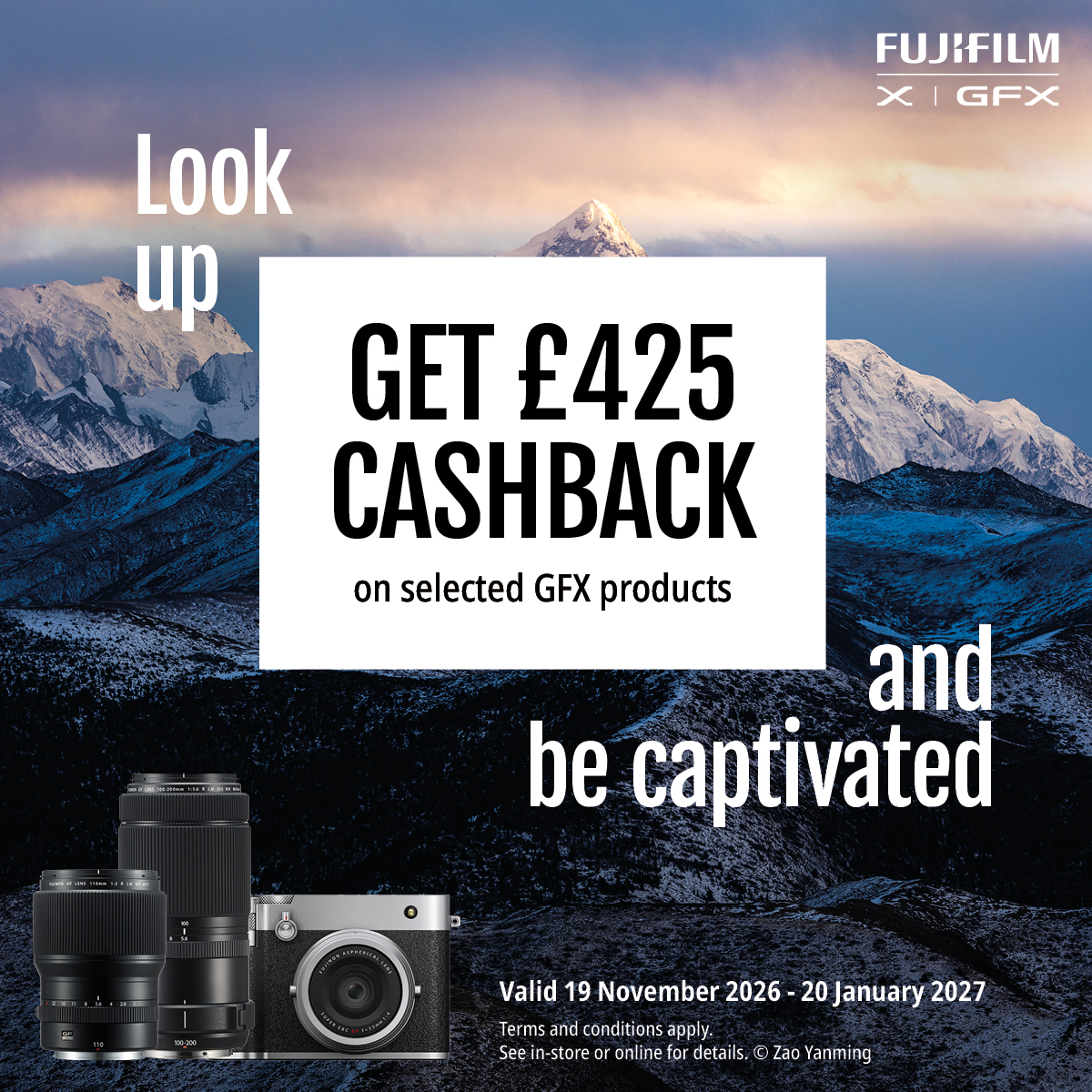
Customers who purchase a NEW qualifying FUJIFILM GFX Product (“Qualifying Products”) between 19th November 2026 and 20th January 2027 (“Promotional Period”) will be eligible for the promotion. Second-hand or refurbished FUJIFILM products are excluded from this promotion.
The Qualifying Product, Cashback amounts, and Promotional Periods are detailed on the ‘More Info’ page.
- Purchases must be made from a Qualifying Retailer as detailed on the ‘Qualifying Retailers’ page.
- Only consumers who are at least 18 years of age, who live in the European Economic Area (or the UK), and have purchased a Qualifying Product online or in store from a Qualifying Retailer in United Kingdom are eligible to participate in this promotion and should make a claim .
Only genuine qualifying NEW FUJIFILM cameras and lenses detailed on the ‘More Info’ page are eligible for this promotion.
- Claims for purchases made during the Promotional Period can be submitted 4 weeks after the Qualifying Products have been purchased. The first Claim can be accepted 4 weeks after the start of the Promotion on 17th December 2026 and must be submitted no later than 17th March 2027. A valid purchase invoice or receipt is necessary to make a claim. An order confirmation is not a valid proof of purchase. Claims received outside of this period will be rejected.
- Fake, altered or doctored invoices or receipts will be rejected and the related claims treated as Fraudulent Claims.
- Each customer is only allowed to purchase one (1) of each of the Qualifying Products in the promotion. Multiple individual products per claim is allowed.
- Qualifying products for the promotion are as follows.
GFX100 II Body
£425.00
GFX100S II Body
£425.00
GFX100S II GF35-70mm KIT
£425.00
GFX100RF
£425.00
GF55mmF1.7 R WR
£425.00
GF80mmF1.7 R WR
£425.00
GF110mmF2 LM WR
£425.00
GF20-35mmF4 R WR
£425.00
GF32-64mmF4 R LM WR
£425.00
GF45-100mm F4 R LM OIS WR
£425.00
GF100-200mmF5.6 R LM OIS WR
£425.00
- Retailers must not submit claims on behalf of their customers. Any claims submitted by retailers will be rejected.
- A claim cannot be made if the Qualifying Product is returned to the Qualifying Retailer for a refund or an exchange. If a claim is made for a Qualifying Product that is returned or exchanged, the claim will be rejected, and it will be regarded as a Fraudulent Claim.
- Claimants must submit the serial number of the Qualifying Product on the Claim Form. The serial number can be found on the box or on the Qualifying Product. The claimant must type in the serial number in the relevant box and also upload a photograph of the same serial number. If a claim is made for a Qualifying Product using a serial number that has been used for a claim under a previous promotion or a previous claim under this promotion or that has been deliberately falsified, the claim will be rejected, and it will be regarded as a Fraudulent Claim.
- The serial number will be validated against existing records. This will include checking:
- shipment records to ensure that the Qualifying Product has been shipped to the relevant Qualifying Retailer;
- previous claims records to ensure that the serial number on the Claim Form has not been used before for a claim under a previous promotion or a previous claim under this promotion;
- the serial number with the Qualifying Retailers to ensure that the Qualifying Product has not been refunded or exchanged; and
- that the serial number follows a certain data logic in the data entry field.
- FUJIFILM Germany GmbH (“FUJIFILM”) reserves the right to take legal action against any claimant who deliberately makes a Fraudulent Claim. In all investigations, FUJIFILM will remain fully compliant with all relevant data protection laws including the General Data Protection Regulation (GDPR).
- In order to submit a claim a claimant must submit their personal details, bank details and purchase information online. Proof of purchase must be in the form of an invoice or receipt clearly showing the purchase date, Qualifying Retailer and Qualifying Product(s) purchased. FUJIFILM reserves the right to request the original proof of purchase. If this is requested to be sent via post, it will be returned to the claimant.
- A confirmation email will be sent to the claimant upon receipt of an online claim submission.
- We aim to validate the claim within a maximum of 14 days and then make the payment within another 28 days (maximum 42 days). However, if there is any reason to check the claim (missing information, unreadable receipt, duplicated serial number etc.), then the validation window may need to be extended. Once these claims have been validated, we aim to make payment within 28 days.
- A claimant will be notified when an incomplete claim is submitted or an illegible proof of purchase received. Notification of omissions will be sent via email. Claimants will be given the opportunity to supply further information to rectify any errors within 14 calendar days of receipt of the email. Failure to respond within 14 calendar days of receipt of the email will result in the claim being rejected.
- FUJIFILM will not be held responsible if e-mails are blocked or sent to “junk” mail folders. Claimants must ensure that they check their “junk” mail folder regularly to ensure that they do not miss claim status update emails. If a claim is refused because the Terms and Conditions of the offer have not been met, FUJIFILM’s decision is final. FUJIFILM reserves the right to withdraw, amend or terminate the promotion without notice.
- Hardware, technical, software, server, website, loss or other failures outside our control that prevent the customer participating in the promotion are not the responsibility of FUJIFILM.
- FUJIFILM reserves the right to void this promotion at any time and change the Terms and Conditions without incurring any liability.
- Email address for correspondence is fujifilm@promotion-support.com; a claimant should provide their unique Claim ID supplied during the claim process with any correspondence. Further details can be found on the Support page.
- By participating in the promotion, each Customer agrees that any personal data provided may be held by FUJIFILM or its agents for the purpose set out in the FUJIFILM Germany GmbH privacy policy available at https://global.fujifilm.com/en/privacy
- The terms of the promotion shall be interpreted and applied on the basis of local laws.
- The promoter in respect of this promotion and the data controller in respect of any personal data submitted by any customer in connection with this promotion is FUJIFILM Germany GmbH, located at Fujistrasse 1, 47533 Kleve, Germany. Please do not send any applications to this address.
- The administration of the promotion (other than validation of the claim) is carried out on behalf of FUJIFILM by Benamic Unlimited Company of IDA Business & Technology Park, Ring Road, Kilkenny, Ireland (“Benamic”) who act as FUJIFILM’s data processor in respect of any personal data submitted by any customer in connection with this promotion.
- FUJIFILM use the personal data to validate claims and Benamic use the personal data to otherwise administer the claim and arrange the cashback payment.
BEING PROCESSED
This status indicates that your application has been received and is currently being processed by our representatives.
MISSING INFO
This status indicates that data is missing. For example, the serial number provided is not valid or the proof of purchase does not show the date of purchase. The reason for this status is displayed under the 'Comments' section.
VALID
This status indicates that all data has been provided and your registration has been successfully validated, i.e. you don’t need to provide any additional information in relation to your claim.
INVALID
This status indicates that the registration does not comply with the promotional terms and conditions. For example, the purchase was not made within the valid promotional dates. The reason for this status is displayed under the 'Comments' section.
PROCESSED
This status indicates that the transaction has been organised and no further action is required.
REISSUED
This status indicates that the previous transaction was not successful and has been processed again.
SETUP/BEING PROCESSED
This status indicates that the registration has been received and is currently being processed.
READY FOR PROCESSING
This status indicates that the registration has been reviewed and approved. It is currently being queued for processing.
RETURNED
This status indicates that the transaction was unsuccessful. This is because the details for the transaction are insufficient.
RESENT FOR PROCESSING
This status indicates that the transaction details have been re-confirmed and the transaction is being processed again.
What does 'Payment Due Date' mean?
This is the date when you can expect the transaction to be received.
I have provided my proof of purchase. Why do you keep asking me to provide it?
The only valid and acceptable proof of purchase is the Sales Invoice or a VAT purchase receipt. You may have provided a delivery note which is not considered as valid proof of purchase.
Note that a valid proof of purchase must clearly show your purchase date, product purchased, store name and total amount paid.
What does 'Actual Payment Date' mean?
This is the date when the transaction was actually made.
Please note that for bank transfers it may take a few more days until the amount appears in your bank account.
This is the only proof of purchase I have been supplied with. I do not have any other document.
Please be advised that your proof of purchase should display date of purchase, product purchased, store/vendor's name and price paid. Contact your vendor to obtain a valid invoice/ till receipt.
What does 'Beneficiary name' mean?
The beneficiary name (account holder’s name) is the name of the titular of the bank account. It is either a name of a person or a name of a company, organization etc.
I have uploaded my bank details but when I click on the bank transfer details link, it asks me to provide them again.
Your bank details are sensitive information which should not stay visible in your Online Tracking System page. If you have submitted this information successfully, one of our representatives will process it and you will shortly receive a confirmation e-mail.
Where can I find the serial number of my device?
Please note that the serial number is an alphanumerical sequence and the most common location of the serial number is on a sticker stamped on the base of your device or on your product box.
How can I be sure that my bank details are being securely stored in your system?
Please be informed that our registration form is highly secured and the transmission of data is encrypted.
Our web form and our Online Tracking System security is certified by RapidSSL CA. Your personal information is being securely stored and can not be accessed by non-authorized parties.
I want to change my log in details for the Customer Online Tracking System. How can I do that?
If you are not logged into the Online Tracking System, use your username and the "Forgotten Password" link to reset your password.
If you are already logged in, you can update your login details by clicking on the "Update Login Details" button in the top right corner of the system. From there, you will see options to "Change Username" and "Change Password".
I have uploaded the requested information. Why is the status of my registration still 'Missing info'?
If you have ticked 'Please send me an email confirming my recent amends to my registration' when submitting any details, you will automatically receive confirmation of the upload.
Please note that, after the upload, a representative will need to review your details. You will receive another email when this is complete.
I cannot upload my proof of purchase.
Your file should not be larger than 8 MB. You can only upload JPG, TIF and PDF.
I need to submit additional details or update the current details related to my purchase (serial number, barcode). How can I do that?
To submit additional details, log into the Online Tracking System using your login credentials.
To submit or update details related to your purchase, go to the “Update Data” section in the table and select the relevant detail you wish to update.
What is the barcode and where can I find it?
A barcode is a universal number assigned to each product model that is manufactured and distributed.
It consists of numbers and a pattern of parallel lines of varying widths, printed on the product package.
My product was faulty and the retailer replaced it with a new one. How do I proceed?
We would kindly ask you to provide the new details for the product - proof of purchase and serial number.
If you have already received your incentive, there is no need to return it.
I was not happy with the purchase and returned my product to the store. How do I proceed?
If you have returned your product and have not yet received your incentive, you need to cancel your claim. To do this, log into the Online Tracking System and select “Cancel Claim” under the “Update Data” heading located in the table.
Please be informed that if you have already received the incentive you will also need to return it back as outlined in the terms and conditions.
I have exchanged my product for another model. How do I proceed?
If you have returned your product and have not yet received your incentive, you need to cancel your claim. To do this, log into the Customer Online Tracking System and select “Cancel Claim” under the “Update Data” heading.
If the promotion is still active and the newly purchased product is eligible, please register it by visiting the promotion site.
Please be informed that if you have already received the incentive for the old product you will also need to return it back as outlined in the terms and conditions.
I need to upload additional files related to my purchase (proof of purchase, picture of serial number, barcode cutout picture). How can I do that?
To submit additional files, log into the Online Tracking System using your login credentials. To upload files related to your purchase, go to the “Upload File” section in the table and select the relevant detail you want to upload.
I need to cancel my claim. How can I do that?
To cancel your claim, log into the Customer Online Tracking System using your login credentials. Go to the “Update Data” heading in the table and select “Cancel Claim” from the menu. Please provide a reason for the cancellation, as further action may be required.
I need to update my postal address. How can I do that?
To update your postal address, log into the Online Tracking System using your login credentials. Click on the “Update Postal Address” button in the top right corner of the system.
I need to update my payment details (bank details, Revolut details). How can I do that?
To update your payment details, log into the Customer Online Tracking System using your login credentials. Click on the “Update Payment Details” button in the top right corner of the system.
Terms and Conditions
FUJIFILM Promotion November 2026 until January 2027
TERMS & CONDITIONS
Customers who purchase a NEW qualifying FUJIFILM GFX Product (“Qualifying Products”) between 19th November 2026 and 20th January 2027 (“Promotional Period”) will be eligible for the promotion. Second-hand or refurbished FUJIFILM products are excluded from this promotion.
The Qualifying Product, Cashback amounts, and Promotional Periods are detailed on the ‘More Info’ page.
- Purchases must be made from a Qualifying Retailer as detailed on the ‘Qualifying Retailers’ page.
- Only consumers who are at least 18 years of age, who live in the European Economic Area (or the UK), and have purchased a Qualifying Product online or in store from a Qualifying Retailer in United Kingdom are eligible to participate in this promotion and should make a claim .
Only genuine qualifying NEW FUJIFILM cameras and lenses detailed on the ‘More Info’ page are eligible for this promotion.
- Claims for purchases made during the Promotional Period can be submitted 4 weeks after the Qualifying Products have been purchased. The first Claim can be accepted 4 weeks after the start of the Promotion on 17th December 2026 and must be submitted no later than 17th March 2027. A valid purchase invoice or receipt is necessary to make a claim. An order confirmation is not a valid proof of purchase. Claims received outside of this period will be rejected.
- Fake, altered or doctored invoices or receipts will be rejected and the related claims treated as Fraudulent Claims.
- Each customer is only allowed to purchase one (1) of each of the Qualifying Products in the promotion. Multiple individual products per claim is allowed.
- Qualifying products for the promotion are as follows.
GFX100 II Body
£425.00
GFX100S II Body
£425.00
GFX100S II GF35-70mm KIT
£425.00
GFX100RF
£425.00
GF55mmF1.7 R WR
£425.00
GF80mmF1.7 R WR
£425.00
GF110mmF2 LM WR
£425.00
GF20-35mmF4 R WR
£425.00
GF32-64mmF4 R LM WR
£425.00
GF45-100mm F4 R LM OIS WR
£425.00
GF100-200mmF5.6 R LM OIS WR
£425.00
- Retailers must not submit claims on behalf of their customers. Any claims submitted by retailers will be rejected.
- A claim cannot be made if the Qualifying Product is returned to the Qualifying Retailer for a refund or an exchange. If a claim is made for a Qualifying Product that is returned or exchanged, the claim will be rejected, and it will be regarded as a Fraudulent Claim.
- Claimants must submit the serial number of the Qualifying Product on the Claim Form. The serial number can be found on the box or on the Qualifying Product. The claimant must type in the serial number in the relevant box and also upload a photograph of the same serial number. If a claim is made for a Qualifying Product using a serial number that has been used for a claim under a previous promotion or a previous claim under this promotion or that has been deliberately falsified, the claim will be rejected, and it will be regarded as a Fraudulent Claim.
- The serial number will be validated against existing records. This will include checking:
- shipment records to ensure that the Qualifying Product has been shipped to the relevant Qualifying Retailer;
- previous claims records to ensure that the serial number on the Claim Form has not been used before for a claim under a previous promotion or a previous claim under this promotion;
- the serial number with the Qualifying Retailers to ensure that the Qualifying Product has not been refunded or exchanged; and
- that the serial number follows a certain data logic in the data entry field.
- FUJIFILM Germany GmbH (“FUJIFILM”) reserves the right to take legal action against any claimant who deliberately makes a Fraudulent Claim. In all investigations, FUJIFILM will remain fully compliant with all relevant data protection laws including the General Data Protection Regulation (GDPR).
- In order to submit a claim a claimant must submit their personal details, bank details and purchase information online. Proof of purchase must be in the form of an invoice or receipt clearly showing the purchase date, Qualifying Retailer and Qualifying Product(s) purchased. FUJIFILM reserves the right to request the original proof of purchase. If this is requested to be sent via post, it will be returned to the claimant.
- A confirmation email will be sent to the claimant upon receipt of an online claim submission.
- We aim to validate the claim within a maximum of 14 days and then make the payment within another 28 days (maximum 42 days). However, if there is any reason to check the claim (missing information, unreadable receipt, duplicated serial number etc.), then the validation window may need to be extended. Once these claims have been validated, we aim to make payment within 28 days.
- A claimant will be notified when an incomplete claim is submitted or an illegible proof of purchase received. Notification of omissions will be sent via email. Claimants will be given the opportunity to supply further information to rectify any errors within 14 calendar days of receipt of the email. Failure to respond within 14 calendar days of receipt of the email will result in the claim being rejected.
- FUJIFILM will not be held responsible if e-mails are blocked or sent to “junk” mail folders. Claimants must ensure that they check their “junk” mail folder regularly to ensure that they do not miss claim status update emails. If a claim is refused because the Terms and Conditions of the offer have not been met, FUJIFILM’s decision is final. FUJIFILM reserves the right to withdraw, amend or terminate the promotion without notice.
- Hardware, technical, software, server, website, loss or other failures outside our control that prevent the customer participating in the promotion are not the responsibility of FUJIFILM.
- FUJIFILM reserves the right to void this promotion at any time and change the Terms and Conditions without incurring any liability.
- Email address for correspondence is fujifilm@promotion-support.com; a claimant should provide their unique Claim ID supplied during the claim process with any correspondence. Further details can be found on the Support page.
- By participating in the promotion, each Customer agrees that any personal data provided may be held by FUJIFILM or its agents for the purpose set out in the FUJIFILM Germany GmbH privacy policy available at https://global.fujifilm.com/en/privacy
- The terms of the promotion shall be interpreted and applied on the basis of local laws.
- The promoter in respect of this promotion and the data controller in respect of any personal data submitted by any customer in connection with this promotion is FUJIFILM Germany GmbH, located at Fujistrasse 1, 47533 Kleve, Germany. Please do not send any applications to this address.
- The administration of the promotion (other than validation of the claim) is carried out on behalf of FUJIFILM by Benamic Unlimited Company of IDA Business & Technology Park, Ring Road, Kilkenny, Ireland (“Benamic”) who act as FUJIFILM’s data processor in respect of any personal data submitted by any customer in connection with this promotion.
- FUJIFILM use the personal data to validate claims and Benamic use the personal data to otherwise administer the claim and arrange the cashback payment.
This is the date when you can expect the transaction to be received.
The only valid and acceptable proof of purchase is the Sales Invoice or a VAT purchase receipt. You may have provided a delivery note which is not considered as valid proof of purchase.
Note that a valid proof of purchase must clearly show your purchase date, product purchased, store name and total amount paid.
What does 'Actual Payment Date' mean?
This is the date when the transaction was actually made.
Please note that for bank transfers it may take a few more days until the amount appears in your bank account.
This is the only proof of purchase I have been supplied with. I do not have any other document.
Please be advised that your proof of purchase should display date of purchase, product purchased, store/vendor's name and price paid. Contact your vendor to obtain a valid invoice/ till receipt.
What does 'Beneficiary name' mean?
The beneficiary name (account holder’s name) is the name of the titular of the bank account. It is either a name of a person or a name of a company, organization etc.
I have uploaded my bank details but when I click on the bank transfer details link, it asks me to provide them again.
Your bank details are sensitive information which should not stay visible in your Online Tracking System page. If you have submitted this information successfully, one of our representatives will process it and you will shortly receive a confirmation e-mail.
Where can I find the serial number of my device?
Please note that the serial number is an alphanumerical sequence and the most common location of the serial number is on a sticker stamped on the base of your device or on your product box.
How can I be sure that my bank details are being securely stored in your system?
Please be informed that our registration form is highly secured and the transmission of data is encrypted.
Our web form and our Online Tracking System security is certified by RapidSSL CA. Your personal information is being securely stored and can not be accessed by non-authorized parties.
I want to change my log in details for the Customer Online Tracking System. How can I do that?
If you are not logged into the Online Tracking System, use your username and the "Forgotten Password" link to reset your password.
If you are already logged in, you can update your login details by clicking on the "Update Login Details" button in the top right corner of the system. From there, you will see options to "Change Username" and "Change Password".
I have uploaded the requested information. Why is the status of my registration still 'Missing info'?
If you have ticked 'Please send me an email confirming my recent amends to my registration' when submitting any details, you will automatically receive confirmation of the upload.
Please note that, after the upload, a representative will need to review your details. You will receive another email when this is complete.
I cannot upload my proof of purchase.
Your file should not be larger than 8 MB. You can only upload JPG, TIF and PDF.
I need to submit additional details or update the current details related to my purchase (serial number, barcode). How can I do that?
To submit additional details, log into the Online Tracking System using your login credentials.
To submit or update details related to your purchase, go to the “Update Data” section in the table and select the relevant detail you wish to update.
What is the barcode and where can I find it?
A barcode is a universal number assigned to each product model that is manufactured and distributed.
It consists of numbers and a pattern of parallel lines of varying widths, printed on the product package.
My product was faulty and the retailer replaced it with a new one. How do I proceed?
We would kindly ask you to provide the new details for the product - proof of purchase and serial number.
If you have already received your incentive, there is no need to return it.
I was not happy with the purchase and returned my product to the store. How do I proceed?
If you have returned your product and have not yet received your incentive, you need to cancel your claim. To do this, log into the Online Tracking System and select “Cancel Claim” under the “Update Data” heading located in the table.
Please be informed that if you have already received the incentive you will also need to return it back as outlined in the terms and conditions.
I have exchanged my product for another model. How do I proceed?
If you have returned your product and have not yet received your incentive, you need to cancel your claim. To do this, log into the Customer Online Tracking System and select “Cancel Claim” under the “Update Data” heading.
If the promotion is still active and the newly purchased product is eligible, please register it by visiting the promotion site.
Please be informed that if you have already received the incentive for the old product you will also need to return it back as outlined in the terms and conditions.
I need to upload additional files related to my purchase (proof of purchase, picture of serial number, barcode cutout picture). How can I do that?
To submit additional files, log into the Online Tracking System using your login credentials. To upload files related to your purchase, go to the “Upload File” section in the table and select the relevant detail you want to upload.
I need to cancel my claim. How can I do that?
To cancel your claim, log into the Customer Online Tracking System using your login credentials. Go to the “Update Data” heading in the table and select “Cancel Claim” from the menu. Please provide a reason for the cancellation, as further action may be required.
I need to update my postal address. How can I do that?
To update your postal address, log into the Online Tracking System using your login credentials. Click on the “Update Postal Address” button in the top right corner of the system.
I need to update my payment details (bank details, Revolut details). How can I do that?
To update your payment details, log into the Customer Online Tracking System using your login credentials. Click on the “Update Payment Details” button in the top right corner of the system.
Terms and Conditions
FUJIFILM Promotion November 2026 until January 2027
TERMS & CONDITIONS
Customers who purchase a NEW qualifying FUJIFILM GFX Product (“Qualifying Products”) between 19th November 2026 and 20th January 2027 (“Promotional Period”) will be eligible for the promotion. Second-hand or refurbished FUJIFILM products are excluded from this promotion.
The Qualifying Product, Cashback amounts, and Promotional Periods are detailed on the ‘More Info’ page.
- Purchases must be made from a Qualifying Retailer as detailed on the ‘Qualifying Retailers’ page.
- Only consumers who are at least 18 years of age, who live in the European Economic Area (or the UK), and have purchased a Qualifying Product online or in store from a Qualifying Retailer in United Kingdom are eligible to participate in this promotion and should make a claim .
Only genuine qualifying NEW FUJIFILM cameras and lenses detailed on the ‘More Info’ page are eligible for this promotion.
- Claims for purchases made during the Promotional Period can be submitted 4 weeks after the Qualifying Products have been purchased. The first Claim can be accepted 4 weeks after the start of the Promotion on 17th December 2026 and must be submitted no later than 17th March 2027. A valid purchase invoice or receipt is necessary to make a claim. An order confirmation is not a valid proof of purchase. Claims received outside of this period will be rejected.
- Fake, altered or doctored invoices or receipts will be rejected and the related claims treated as Fraudulent Claims.
- Each customer is only allowed to purchase one (1) of each of the Qualifying Products in the promotion. Multiple individual products per claim is allowed.
- Qualifying products for the promotion are as follows.
GFX100 II Body
£425.00
GFX100S II Body
£425.00
GFX100S II GF35-70mm KIT
£425.00
GFX100RF
£425.00
GF55mmF1.7 R WR
£425.00
GF80mmF1.7 R WR
£425.00
GF110mmF2 LM WR
£425.00
GF20-35mmF4 R WR
£425.00
GF32-64mmF4 R LM WR
£425.00
GF45-100mm F4 R LM OIS WR
£425.00
GF100-200mmF5.6 R LM OIS WR
£425.00
- Retailers must not submit claims on behalf of their customers. Any claims submitted by retailers will be rejected.
- A claim cannot be made if the Qualifying Product is returned to the Qualifying Retailer for a refund or an exchange. If a claim is made for a Qualifying Product that is returned or exchanged, the claim will be rejected, and it will be regarded as a Fraudulent Claim.
- Claimants must submit the serial number of the Qualifying Product on the Claim Form. The serial number can be found on the box or on the Qualifying Product. The claimant must type in the serial number in the relevant box and also upload a photograph of the same serial number. If a claim is made for a Qualifying Product using a serial number that has been used for a claim under a previous promotion or a previous claim under this promotion or that has been deliberately falsified, the claim will be rejected, and it will be regarded as a Fraudulent Claim.
- The serial number will be validated against existing records. This will include checking:
- shipment records to ensure that the Qualifying Product has been shipped to the relevant Qualifying Retailer;
- previous claims records to ensure that the serial number on the Claim Form has not been used before for a claim under a previous promotion or a previous claim under this promotion;
- the serial number with the Qualifying Retailers to ensure that the Qualifying Product has not been refunded or exchanged; and
- that the serial number follows a certain data logic in the data entry field.
- FUJIFILM Germany GmbH (“FUJIFILM”) reserves the right to take legal action against any claimant who deliberately makes a Fraudulent Claim. In all investigations, FUJIFILM will remain fully compliant with all relevant data protection laws including the General Data Protection Regulation (GDPR).
- In order to submit a claim a claimant must submit their personal details, bank details and purchase information online. Proof of purchase must be in the form of an invoice or receipt clearly showing the purchase date, Qualifying Retailer and Qualifying Product(s) purchased. FUJIFILM reserves the right to request the original proof of purchase. If this is requested to be sent via post, it will be returned to the claimant.
- A confirmation email will be sent to the claimant upon receipt of an online claim submission.
- We aim to validate the claim within a maximum of 14 days and then make the payment within another 28 days (maximum 42 days). However, if there is any reason to check the claim (missing information, unreadable receipt, duplicated serial number etc.), then the validation window may need to be extended. Once these claims have been validated, we aim to make payment within 28 days.
- A claimant will be notified when an incomplete claim is submitted or an illegible proof of purchase received. Notification of omissions will be sent via email. Claimants will be given the opportunity to supply further information to rectify any errors within 14 calendar days of receipt of the email. Failure to respond within 14 calendar days of receipt of the email will result in the claim being rejected.
- FUJIFILM will not be held responsible if e-mails are blocked or sent to “junk” mail folders. Claimants must ensure that they check their “junk” mail folder regularly to ensure that they do not miss claim status update emails. If a claim is refused because the Terms and Conditions of the offer have not been met, FUJIFILM’s decision is final. FUJIFILM reserves the right to withdraw, amend or terminate the promotion without notice.
- Hardware, technical, software, server, website, loss or other failures outside our control that prevent the customer participating in the promotion are not the responsibility of FUJIFILM.
- FUJIFILM reserves the right to void this promotion at any time and change the Terms and Conditions without incurring any liability.
- Email address for correspondence is fujifilm@promotion-support.com; a claimant should provide their unique Claim ID supplied during the claim process with any correspondence. Further details can be found on the Support page.
- By participating in the promotion, each Customer agrees that any personal data provided may be held by FUJIFILM or its agents for the purpose set out in the FUJIFILM Germany GmbH privacy policy available at https://global.fujifilm.com/en/privacy
- The terms of the promotion shall be interpreted and applied on the basis of local laws.
- The promoter in respect of this promotion and the data controller in respect of any personal data submitted by any customer in connection with this promotion is FUJIFILM Germany GmbH, located at Fujistrasse 1, 47533 Kleve, Germany. Please do not send any applications to this address.
- The administration of the promotion (other than validation of the claim) is carried out on behalf of FUJIFILM by Benamic Unlimited Company of IDA Business & Technology Park, Ring Road, Kilkenny, Ireland (“Benamic”) who act as FUJIFILM’s data processor in respect of any personal data submitted by any customer in connection with this promotion.
- FUJIFILM use the personal data to validate claims and Benamic use the personal data to otherwise administer the claim and arrange the cashback payment.
This is the date when the transaction was actually made.
Please note that for bank transfers it may take a few more days until the amount appears in your bank account.
Please be advised that your proof of purchase should display date of purchase, product purchased, store/vendor's name and price paid. Contact your vendor to obtain a valid invoice/ till receipt.
What does 'Beneficiary name' mean?
The beneficiary name (account holder’s name) is the name of the titular of the bank account. It is either a name of a person or a name of a company, organization etc.
I have uploaded my bank details but when I click on the bank transfer details link, it asks me to provide them again.
Your bank details are sensitive information which should not stay visible in your Online Tracking System page. If you have submitted this information successfully, one of our representatives will process it and you will shortly receive a confirmation e-mail.
Where can I find the serial number of my device?
Please note that the serial number is an alphanumerical sequence and the most common location of the serial number is on a sticker stamped on the base of your device or on your product box.
How can I be sure that my bank details are being securely stored in your system?
Please be informed that our registration form is highly secured and the transmission of data is encrypted.
Our web form and our Online Tracking System security is certified by RapidSSL CA. Your personal information is being securely stored and can not be accessed by non-authorized parties.
I want to change my log in details for the Customer Online Tracking System. How can I do that?
If you are not logged into the Online Tracking System, use your username and the "Forgotten Password" link to reset your password.
If you are already logged in, you can update your login details by clicking on the "Update Login Details" button in the top right corner of the system. From there, you will see options to "Change Username" and "Change Password".
I have uploaded the requested information. Why is the status of my registration still 'Missing info'?
If you have ticked 'Please send me an email confirming my recent amends to my registration' when submitting any details, you will automatically receive confirmation of the upload.
Please note that, after the upload, a representative will need to review your details. You will receive another email when this is complete.
I cannot upload my proof of purchase.
Your file should not be larger than 8 MB. You can only upload JPG, TIF and PDF.
I need to submit additional details or update the current details related to my purchase (serial number, barcode). How can I do that?
To submit additional details, log into the Online Tracking System using your login credentials.
To submit or update details related to your purchase, go to the “Update Data” section in the table and select the relevant detail you wish to update.
What is the barcode and where can I find it?
A barcode is a universal number assigned to each product model that is manufactured and distributed.
It consists of numbers and a pattern of parallel lines of varying widths, printed on the product package.
My product was faulty and the retailer replaced it with a new one. How do I proceed?
We would kindly ask you to provide the new details for the product - proof of purchase and serial number.
If you have already received your incentive, there is no need to return it.
I was not happy with the purchase and returned my product to the store. How do I proceed?
If you have returned your product and have not yet received your incentive, you need to cancel your claim. To do this, log into the Online Tracking System and select “Cancel Claim” under the “Update Data” heading located in the table.
Please be informed that if you have already received the incentive you will also need to return it back as outlined in the terms and conditions.
I have exchanged my product for another model. How do I proceed?
If you have returned your product and have not yet received your incentive, you need to cancel your claim. To do this, log into the Customer Online Tracking System and select “Cancel Claim” under the “Update Data” heading.
If the promotion is still active and the newly purchased product is eligible, please register it by visiting the promotion site.
Please be informed that if you have already received the incentive for the old product you will also need to return it back as outlined in the terms and conditions.
I need to upload additional files related to my purchase (proof of purchase, picture of serial number, barcode cutout picture). How can I do that?
To submit additional files, log into the Online Tracking System using your login credentials. To upload files related to your purchase, go to the “Upload File” section in the table and select the relevant detail you want to upload.
I need to cancel my claim. How can I do that?
To cancel your claim, log into the Customer Online Tracking System using your login credentials. Go to the “Update Data” heading in the table and select “Cancel Claim” from the menu. Please provide a reason for the cancellation, as further action may be required.
I need to update my postal address. How can I do that?
To update your postal address, log into the Online Tracking System using your login credentials. Click on the “Update Postal Address” button in the top right corner of the system.
I need to update my payment details (bank details, Revolut details). How can I do that?
To update your payment details, log into the Customer Online Tracking System using your login credentials. Click on the “Update Payment Details” button in the top right corner of the system.
Terms and Conditions
FUJIFILM Promotion November 2026 until January 2027
TERMS & CONDITIONS
Customers who purchase a NEW qualifying FUJIFILM GFX Product (“Qualifying Products”) between 19th November 2026 and 20th January 2027 (“Promotional Period”) will be eligible for the promotion. Second-hand or refurbished FUJIFILM products are excluded from this promotion.
The Qualifying Product, Cashback amounts, and Promotional Periods are detailed on the ‘More Info’ page.
- Purchases must be made from a Qualifying Retailer as detailed on the ‘Qualifying Retailers’ page.
- Only consumers who are at least 18 years of age, who live in the European Economic Area (or the UK), and have purchased a Qualifying Product online or in store from a Qualifying Retailer in United Kingdom are eligible to participate in this promotion and should make a claim .
Only genuine qualifying NEW FUJIFILM cameras and lenses detailed on the ‘More Info’ page are eligible for this promotion.
- Claims for purchases made during the Promotional Period can be submitted 4 weeks after the Qualifying Products have been purchased. The first Claim can be accepted 4 weeks after the start of the Promotion on 17th December 2026 and must be submitted no later than 17th March 2027. A valid purchase invoice or receipt is necessary to make a claim. An order confirmation is not a valid proof of purchase. Claims received outside of this period will be rejected.
- Fake, altered or doctored invoices or receipts will be rejected and the related claims treated as Fraudulent Claims.
- Each customer is only allowed to purchase one (1) of each of the Qualifying Products in the promotion. Multiple individual products per claim is allowed.
- Qualifying products for the promotion are as follows.
GFX100 II Body
£425.00
GFX100S II Body
£425.00
GFX100S II GF35-70mm KIT
£425.00
GFX100RF
£425.00
GF55mmF1.7 R WR
£425.00
GF80mmF1.7 R WR
£425.00
GF110mmF2 LM WR
£425.00
GF20-35mmF4 R WR
£425.00
GF32-64mmF4 R LM WR
£425.00
GF45-100mm F4 R LM OIS WR
£425.00
GF100-200mmF5.6 R LM OIS WR
£425.00
- Retailers must not submit claims on behalf of their customers. Any claims submitted by retailers will be rejected.
- A claim cannot be made if the Qualifying Product is returned to the Qualifying Retailer for a refund or an exchange. If a claim is made for a Qualifying Product that is returned or exchanged, the claim will be rejected, and it will be regarded as a Fraudulent Claim.
- Claimants must submit the serial number of the Qualifying Product on the Claim Form. The serial number can be found on the box or on the Qualifying Product. The claimant must type in the serial number in the relevant box and also upload a photograph of the same serial number. If a claim is made for a Qualifying Product using a serial number that has been used for a claim under a previous promotion or a previous claim under this promotion or that has been deliberately falsified, the claim will be rejected, and it will be regarded as a Fraudulent Claim.
- The serial number will be validated against existing records. This will include checking:
- shipment records to ensure that the Qualifying Product has been shipped to the relevant Qualifying Retailer;
- previous claims records to ensure that the serial number on the Claim Form has not been used before for a claim under a previous promotion or a previous claim under this promotion;
- the serial number with the Qualifying Retailers to ensure that the Qualifying Product has not been refunded or exchanged; and
- that the serial number follows a certain data logic in the data entry field.
- FUJIFILM Germany GmbH (“FUJIFILM”) reserves the right to take legal action against any claimant who deliberately makes a Fraudulent Claim. In all investigations, FUJIFILM will remain fully compliant with all relevant data protection laws including the General Data Protection Regulation (GDPR).
- In order to submit a claim a claimant must submit their personal details, bank details and purchase information online. Proof of purchase must be in the form of an invoice or receipt clearly showing the purchase date, Qualifying Retailer and Qualifying Product(s) purchased. FUJIFILM reserves the right to request the original proof of purchase. If this is requested to be sent via post, it will be returned to the claimant.
- A confirmation email will be sent to the claimant upon receipt of an online claim submission.
- We aim to validate the claim within a maximum of 14 days and then make the payment within another 28 days (maximum 42 days). However, if there is any reason to check the claim (missing information, unreadable receipt, duplicated serial number etc.), then the validation window may need to be extended. Once these claims have been validated, we aim to make payment within 28 days.
- A claimant will be notified when an incomplete claim is submitted or an illegible proof of purchase received. Notification of omissions will be sent via email. Claimants will be given the opportunity to supply further information to rectify any errors within 14 calendar days of receipt of the email. Failure to respond within 14 calendar days of receipt of the email will result in the claim being rejected.
- FUJIFILM will not be held responsible if e-mails are blocked or sent to “junk” mail folders. Claimants must ensure that they check their “junk” mail folder regularly to ensure that they do not miss claim status update emails. If a claim is refused because the Terms and Conditions of the offer have not been met, FUJIFILM’s decision is final. FUJIFILM reserves the right to withdraw, amend or terminate the promotion without notice.
- Hardware, technical, software, server, website, loss or other failures outside our control that prevent the customer participating in the promotion are not the responsibility of FUJIFILM.
- FUJIFILM reserves the right to void this promotion at any time and change the Terms and Conditions without incurring any liability.
- Email address for correspondence is fujifilm@promotion-support.com; a claimant should provide their unique Claim ID supplied during the claim process with any correspondence. Further details can be found on the Support page.
- By participating in the promotion, each Customer agrees that any personal data provided may be held by FUJIFILM or its agents for the purpose set out in the FUJIFILM Germany GmbH privacy policy available at https://global.fujifilm.com/en/privacy
- The terms of the promotion shall be interpreted and applied on the basis of local laws.
- The promoter in respect of this promotion and the data controller in respect of any personal data submitted by any customer in connection with this promotion is FUJIFILM Germany GmbH, located at Fujistrasse 1, 47533 Kleve, Germany. Please do not send any applications to this address.
- The administration of the promotion (other than validation of the claim) is carried out on behalf of FUJIFILM by Benamic Unlimited Company of IDA Business & Technology Park, Ring Road, Kilkenny, Ireland (“Benamic”) who act as FUJIFILM’s data processor in respect of any personal data submitted by any customer in connection with this promotion.
- FUJIFILM use the personal data to validate claims and Benamic use the personal data to otherwise administer the claim and arrange the cashback payment.
The beneficiary name (account holder’s name) is the name of the titular of the bank account. It is either a name of a person or a name of a company, organization etc.
Your bank details are sensitive information which should not stay visible in your Online Tracking System page. If you have submitted this information successfully, one of our representatives will process it and you will shortly receive a confirmation e-mail.
Where can I find the serial number of my device?
Please note that the serial number is an alphanumerical sequence and the most common location of the serial number is on a sticker stamped on the base of your device or on your product box.
How can I be sure that my bank details are being securely stored in your system?
Please be informed that our registration form is highly secured and the transmission of data is encrypted.
Our web form and our Online Tracking System security is certified by RapidSSL CA. Your personal information is being securely stored and can not be accessed by non-authorized parties.
I want to change my log in details for the Customer Online Tracking System. How can I do that?
If you are not logged into the Online Tracking System, use your username and the "Forgotten Password" link to reset your password.
If you are already logged in, you can update your login details by clicking on the "Update Login Details" button in the top right corner of the system. From there, you will see options to "Change Username" and "Change Password".
I have uploaded the requested information. Why is the status of my registration still 'Missing info'?
If you have ticked 'Please send me an email confirming my recent amends to my registration' when submitting any details, you will automatically receive confirmation of the upload.
Please note that, after the upload, a representative will need to review your details. You will receive another email when this is complete.
I cannot upload my proof of purchase.
Your file should not be larger than 8 MB. You can only upload JPG, TIF and PDF.
I need to submit additional details or update the current details related to my purchase (serial number, barcode). How can I do that?
To submit additional details, log into the Online Tracking System using your login credentials.
To submit or update details related to your purchase, go to the “Update Data” section in the table and select the relevant detail you wish to update.
What is the barcode and where can I find it?
A barcode is a universal number assigned to each product model that is manufactured and distributed.
It consists of numbers and a pattern of parallel lines of varying widths, printed on the product package.
My product was faulty and the retailer replaced it with a new one. How do I proceed?
We would kindly ask you to provide the new details for the product - proof of purchase and serial number.
If you have already received your incentive, there is no need to return it.
I was not happy with the purchase and returned my product to the store. How do I proceed?
If you have returned your product and have not yet received your incentive, you need to cancel your claim. To do this, log into the Online Tracking System and select “Cancel Claim” under the “Update Data” heading located in the table.
Please be informed that if you have already received the incentive you will also need to return it back as outlined in the terms and conditions.
I have exchanged my product for another model. How do I proceed?
If you have returned your product and have not yet received your incentive, you need to cancel your claim. To do this, log into the Customer Online Tracking System and select “Cancel Claim” under the “Update Data” heading.
If the promotion is still active and the newly purchased product is eligible, please register it by visiting the promotion site.
Please be informed that if you have already received the incentive for the old product you will also need to return it back as outlined in the terms and conditions.
I need to upload additional files related to my purchase (proof of purchase, picture of serial number, barcode cutout picture). How can I do that?
To submit additional files, log into the Online Tracking System using your login credentials. To upload files related to your purchase, go to the “Upload File” section in the table and select the relevant detail you want to upload.
I need to cancel my claim. How can I do that?
To cancel your claim, log into the Customer Online Tracking System using your login credentials. Go to the “Update Data” heading in the table and select “Cancel Claim” from the menu. Please provide a reason for the cancellation, as further action may be required.
I need to update my postal address. How can I do that?
To update your postal address, log into the Online Tracking System using your login credentials. Click on the “Update Postal Address” button in the top right corner of the system.
I need to update my payment details (bank details, Revolut details). How can I do that?
To update your payment details, log into the Customer Online Tracking System using your login credentials. Click on the “Update Payment Details” button in the top right corner of the system.
Terms and Conditions
FUJIFILM Promotion November 2026 until January 2027
TERMS & CONDITIONS
Customers who purchase a NEW qualifying FUJIFILM GFX Product (“Qualifying Products”) between 19th November 2026 and 20th January 2027 (“Promotional Period”) will be eligible for the promotion. Second-hand or refurbished FUJIFILM products are excluded from this promotion.
The Qualifying Product, Cashback amounts, and Promotional Periods are detailed on the ‘More Info’ page.
- Purchases must be made from a Qualifying Retailer as detailed on the ‘Qualifying Retailers’ page.
- Only consumers who are at least 18 years of age, who live in the European Economic Area (or the UK), and have purchased a Qualifying Product online or in store from a Qualifying Retailer in United Kingdom are eligible to participate in this promotion and should make a claim .
Only genuine qualifying NEW FUJIFILM cameras and lenses detailed on the ‘More Info’ page are eligible for this promotion.
- Claims for purchases made during the Promotional Period can be submitted 4 weeks after the Qualifying Products have been purchased. The first Claim can be accepted 4 weeks after the start of the Promotion on 17th December 2026 and must be submitted no later than 17th March 2027. A valid purchase invoice or receipt is necessary to make a claim. An order confirmation is not a valid proof of purchase. Claims received outside of this period will be rejected.
- Fake, altered or doctored invoices or receipts will be rejected and the related claims treated as Fraudulent Claims.
- Each customer is only allowed to purchase one (1) of each of the Qualifying Products in the promotion. Multiple individual products per claim is allowed.
- Qualifying products for the promotion are as follows.
GFX100 II Body
£425.00
GFX100S II Body
£425.00
GFX100S II GF35-70mm KIT
£425.00
GFX100RF
£425.00
GF55mmF1.7 R WR
£425.00
GF80mmF1.7 R WR
£425.00
GF110mmF2 LM WR
£425.00
GF20-35mmF4 R WR
£425.00
GF32-64mmF4 R LM WR
£425.00
GF45-100mm F4 R LM OIS WR
£425.00
GF100-200mmF5.6 R LM OIS WR
£425.00
- Retailers must not submit claims on behalf of their customers. Any claims submitted by retailers will be rejected.
- A claim cannot be made if the Qualifying Product is returned to the Qualifying Retailer for a refund or an exchange. If a claim is made for a Qualifying Product that is returned or exchanged, the claim will be rejected, and it will be regarded as a Fraudulent Claim.
- Claimants must submit the serial number of the Qualifying Product on the Claim Form. The serial number can be found on the box or on the Qualifying Product. The claimant must type in the serial number in the relevant box and also upload a photograph of the same serial number. If a claim is made for a Qualifying Product using a serial number that has been used for a claim under a previous promotion or a previous claim under this promotion or that has been deliberately falsified, the claim will be rejected, and it will be regarded as a Fraudulent Claim.
- The serial number will be validated against existing records. This will include checking:
- shipment records to ensure that the Qualifying Product has been shipped to the relevant Qualifying Retailer;
- previous claims records to ensure that the serial number on the Claim Form has not been used before for a claim under a previous promotion or a previous claim under this promotion;
- the serial number with the Qualifying Retailers to ensure that the Qualifying Product has not been refunded or exchanged; and
- that the serial number follows a certain data logic in the data entry field.
- FUJIFILM Germany GmbH (“FUJIFILM”) reserves the right to take legal action against any claimant who deliberately makes a Fraudulent Claim. In all investigations, FUJIFILM will remain fully compliant with all relevant data protection laws including the General Data Protection Regulation (GDPR).
- In order to submit a claim a claimant must submit their personal details, bank details and purchase information online. Proof of purchase must be in the form of an invoice or receipt clearly showing the purchase date, Qualifying Retailer and Qualifying Product(s) purchased. FUJIFILM reserves the right to request the original proof of purchase. If this is requested to be sent via post, it will be returned to the claimant.
- A confirmation email will be sent to the claimant upon receipt of an online claim submission.
- We aim to validate the claim within a maximum of 14 days and then make the payment within another 28 days (maximum 42 days). However, if there is any reason to check the claim (missing information, unreadable receipt, duplicated serial number etc.), then the validation window may need to be extended. Once these claims have been validated, we aim to make payment within 28 days.
- A claimant will be notified when an incomplete claim is submitted or an illegible proof of purchase received. Notification of omissions will be sent via email. Claimants will be given the opportunity to supply further information to rectify any errors within 14 calendar days of receipt of the email. Failure to respond within 14 calendar days of receipt of the email will result in the claim being rejected.
- FUJIFILM will not be held responsible if e-mails are blocked or sent to “junk” mail folders. Claimants must ensure that they check their “junk” mail folder regularly to ensure that they do not miss claim status update emails. If a claim is refused because the Terms and Conditions of the offer have not been met, FUJIFILM’s decision is final. FUJIFILM reserves the right to withdraw, amend or terminate the promotion without notice.
- Hardware, technical, software, server, website, loss or other failures outside our control that prevent the customer participating in the promotion are not the responsibility of FUJIFILM.
- FUJIFILM reserves the right to void this promotion at any time and change the Terms and Conditions without incurring any liability.
- Email address for correspondence is fujifilm@promotion-support.com; a claimant should provide their unique Claim ID supplied during the claim process with any correspondence. Further details can be found on the Support page.
- By participating in the promotion, each Customer agrees that any personal data provided may be held by FUJIFILM or its agents for the purpose set out in the FUJIFILM Germany GmbH privacy policy available at https://global.fujifilm.com/en/privacy
- The terms of the promotion shall be interpreted and applied on the basis of local laws.
- The promoter in respect of this promotion and the data controller in respect of any personal data submitted by any customer in connection with this promotion is FUJIFILM Germany GmbH, located at Fujistrasse 1, 47533 Kleve, Germany. Please do not send any applications to this address.
- The administration of the promotion (other than validation of the claim) is carried out on behalf of FUJIFILM by Benamic Unlimited Company of IDA Business & Technology Park, Ring Road, Kilkenny, Ireland (“Benamic”) who act as FUJIFILM’s data processor in respect of any personal data submitted by any customer in connection with this promotion.
- FUJIFILM use the personal data to validate claims and Benamic use the personal data to otherwise administer the claim and arrange the cashback payment.
Please note that the serial number is an alphanumerical sequence and the most common location of the serial number is on a sticker stamped on the base of your device or on your product box.
Please be informed that our registration form is highly secured and the transmission of data is encrypted.
Our web form and our Online Tracking System security is certified by RapidSSL CA. Your personal information is being securely stored and can not be accessed by non-authorized parties.
I want to change my log in details for the Customer Online Tracking System. How can I do that?
If you are not logged into the Online Tracking System, use your username and the "Forgotten Password" link to reset your password.
If you are already logged in, you can update your login details by clicking on the "Update Login Details" button in the top right corner of the system. From there, you will see options to "Change Username" and "Change Password".
I have uploaded the requested information. Why is the status of my registration still 'Missing info'?
If you have ticked 'Please send me an email confirming my recent amends to my registration' when submitting any details, you will automatically receive confirmation of the upload.
Please note that, after the upload, a representative will need to review your details. You will receive another email when this is complete.
I cannot upload my proof of purchase.
Your file should not be larger than 8 MB. You can only upload JPG, TIF and PDF.
I need to submit additional details or update the current details related to my purchase (serial number, barcode). How can I do that?
To submit additional details, log into the Online Tracking System using your login credentials.
To submit or update details related to your purchase, go to the “Update Data” section in the table and select the relevant detail you wish to update.
What is the barcode and where can I find it?
A barcode is a universal number assigned to each product model that is manufactured and distributed.
It consists of numbers and a pattern of parallel lines of varying widths, printed on the product package.
My product was faulty and the retailer replaced it with a new one. How do I proceed?
We would kindly ask you to provide the new details for the product - proof of purchase and serial number.
If you have already received your incentive, there is no need to return it.
I was not happy with the purchase and returned my product to the store. How do I proceed?
If you have returned your product and have not yet received your incentive, you need to cancel your claim. To do this, log into the Online Tracking System and select “Cancel Claim” under the “Update Data” heading located in the table.
Please be informed that if you have already received the incentive you will also need to return it back as outlined in the terms and conditions.
I have exchanged my product for another model. How do I proceed?
If you have returned your product and have not yet received your incentive, you need to cancel your claim. To do this, log into the Customer Online Tracking System and select “Cancel Claim” under the “Update Data” heading.
If the promotion is still active and the newly purchased product is eligible, please register it by visiting the promotion site.
Please be informed that if you have already received the incentive for the old product you will also need to return it back as outlined in the terms and conditions.
I need to upload additional files related to my purchase (proof of purchase, picture of serial number, barcode cutout picture). How can I do that?
To submit additional files, log into the Online Tracking System using your login credentials. To upload files related to your purchase, go to the “Upload File” section in the table and select the relevant detail you want to upload.
I need to cancel my claim. How can I do that?
To cancel your claim, log into the Customer Online Tracking System using your login credentials. Go to the “Update Data” heading in the table and select “Cancel Claim” from the menu. Please provide a reason for the cancellation, as further action may be required.
I need to update my postal address. How can I do that?
To update your postal address, log into the Online Tracking System using your login credentials. Click on the “Update Postal Address” button in the top right corner of the system.
I need to update my payment details (bank details, Revolut details). How can I do that?
To update your payment details, log into the Customer Online Tracking System using your login credentials. Click on the “Update Payment Details” button in the top right corner of the system.
Terms and Conditions
FUJIFILM Promotion November 2026 until January 2027
TERMS & CONDITIONS
Customers who purchase a NEW qualifying FUJIFILM GFX Product (“Qualifying Products”) between 19th November 2026 and 20th January 2027 (“Promotional Period”) will be eligible for the promotion. Second-hand or refurbished FUJIFILM products are excluded from this promotion.
The Qualifying Product, Cashback amounts, and Promotional Periods are detailed on the ‘More Info’ page.
- Purchases must be made from a Qualifying Retailer as detailed on the ‘Qualifying Retailers’ page.
- Only consumers who are at least 18 years of age, who live in the European Economic Area (or the UK), and have purchased a Qualifying Product online or in store from a Qualifying Retailer in United Kingdom are eligible to participate in this promotion and should make a claim .
Only genuine qualifying NEW FUJIFILM cameras and lenses detailed on the ‘More Info’ page are eligible for this promotion.
- Claims for purchases made during the Promotional Period can be submitted 4 weeks after the Qualifying Products have been purchased. The first Claim can be accepted 4 weeks after the start of the Promotion on 17th December 2026 and must be submitted no later than 17th March 2027. A valid purchase invoice or receipt is necessary to make a claim. An order confirmation is not a valid proof of purchase. Claims received outside of this period will be rejected.
- Fake, altered or doctored invoices or receipts will be rejected and the related claims treated as Fraudulent Claims.
- Each customer is only allowed to purchase one (1) of each of the Qualifying Products in the promotion. Multiple individual products per claim is allowed.
- Qualifying products for the promotion are as follows.
GFX100 II Body
£425.00
GFX100S II Body
£425.00
GFX100S II GF35-70mm KIT
£425.00
GFX100RF
£425.00
GF55mmF1.7 R WR
£425.00
GF80mmF1.7 R WR
£425.00
GF110mmF2 LM WR
£425.00
GF20-35mmF4 R WR
£425.00
GF32-64mmF4 R LM WR
£425.00
GF45-100mm F4 R LM OIS WR
£425.00
GF100-200mmF5.6 R LM OIS WR
£425.00
- Retailers must not submit claims on behalf of their customers. Any claims submitted by retailers will be rejected.
- A claim cannot be made if the Qualifying Product is returned to the Qualifying Retailer for a refund or an exchange. If a claim is made for a Qualifying Product that is returned or exchanged, the claim will be rejected, and it will be regarded as a Fraudulent Claim.
- Claimants must submit the serial number of the Qualifying Product on the Claim Form. The serial number can be found on the box or on the Qualifying Product. The claimant must type in the serial number in the relevant box and also upload a photograph of the same serial number. If a claim is made for a Qualifying Product using a serial number that has been used for a claim under a previous promotion or a previous claim under this promotion or that has been deliberately falsified, the claim will be rejected, and it will be regarded as a Fraudulent Claim.
- The serial number will be validated against existing records. This will include checking:
- shipment records to ensure that the Qualifying Product has been shipped to the relevant Qualifying Retailer;
- previous claims records to ensure that the serial number on the Claim Form has not been used before for a claim under a previous promotion or a previous claim under this promotion;
- the serial number with the Qualifying Retailers to ensure that the Qualifying Product has not been refunded or exchanged; and
- that the serial number follows a certain data logic in the data entry field.
- FUJIFILM Germany GmbH (“FUJIFILM”) reserves the right to take legal action against any claimant who deliberately makes a Fraudulent Claim. In all investigations, FUJIFILM will remain fully compliant with all relevant data protection laws including the General Data Protection Regulation (GDPR).
- In order to submit a claim a claimant must submit their personal details, bank details and purchase information online. Proof of purchase must be in the form of an invoice or receipt clearly showing the purchase date, Qualifying Retailer and Qualifying Product(s) purchased. FUJIFILM reserves the right to request the original proof of purchase. If this is requested to be sent via post, it will be returned to the claimant.
- A confirmation email will be sent to the claimant upon receipt of an online claim submission.
- We aim to validate the claim within a maximum of 14 days and then make the payment within another 28 days (maximum 42 days). However, if there is any reason to check the claim (missing information, unreadable receipt, duplicated serial number etc.), then the validation window may need to be extended. Once these claims have been validated, we aim to make payment within 28 days.
- A claimant will be notified when an incomplete claim is submitted or an illegible proof of purchase received. Notification of omissions will be sent via email. Claimants will be given the opportunity to supply further information to rectify any errors within 14 calendar days of receipt of the email. Failure to respond within 14 calendar days of receipt of the email will result in the claim being rejected.
- FUJIFILM will not be held responsible if e-mails are blocked or sent to “junk” mail folders. Claimants must ensure that they check their “junk” mail folder regularly to ensure that they do not miss claim status update emails. If a claim is refused because the Terms and Conditions of the offer have not been met, FUJIFILM’s decision is final. FUJIFILM reserves the right to withdraw, amend or terminate the promotion without notice.
- Hardware, technical, software, server, website, loss or other failures outside our control that prevent the customer participating in the promotion are not the responsibility of FUJIFILM.
- FUJIFILM reserves the right to void this promotion at any time and change the Terms and Conditions without incurring any liability.
- Email address for correspondence is fujifilm@promotion-support.com; a claimant should provide their unique Claim ID supplied during the claim process with any correspondence. Further details can be found on the Support page.
- By participating in the promotion, each Customer agrees that any personal data provided may be held by FUJIFILM or its agents for the purpose set out in the FUJIFILM Germany GmbH privacy policy available at https://global.fujifilm.com/en/privacy
- The terms of the promotion shall be interpreted and applied on the basis of local laws.
- The promoter in respect of this promotion and the data controller in respect of any personal data submitted by any customer in connection with this promotion is FUJIFILM Germany GmbH, located at Fujistrasse 1, 47533 Kleve, Germany. Please do not send any applications to this address.
- The administration of the promotion (other than validation of the claim) is carried out on behalf of FUJIFILM by Benamic Unlimited Company of IDA Business & Technology Park, Ring Road, Kilkenny, Ireland (“Benamic”) who act as FUJIFILM’s data processor in respect of any personal data submitted by any customer in connection with this promotion.
- FUJIFILM use the personal data to validate claims and Benamic use the personal data to otherwise administer the claim and arrange the cashback payment.
If you are not logged into the Online Tracking System, use your username and the "Forgotten Password" link to reset your password.
If you are already logged in, you can update your login details by clicking on the "Update Login Details" button in the top right corner of the system. From there, you will see options to "Change Username" and "Change Password".
If you have ticked 'Please send me an email confirming my recent amends to my registration' when submitting any details, you will automatically receive confirmation of the upload.
Please note that, after the upload, a representative will need to review your details. You will receive another email when this is complete.
I cannot upload my proof of purchase.
Your file should not be larger than 8 MB. You can only upload JPG, TIF and PDF.
I need to submit additional details or update the current details related to my purchase (serial number, barcode). How can I do that?
To submit additional details, log into the Online Tracking System using your login credentials.
To submit or update details related to your purchase, go to the “Update Data” section in the table and select the relevant detail you wish to update.
What is the barcode and where can I find it?
A barcode is a universal number assigned to each product model that is manufactured and distributed.
It consists of numbers and a pattern of parallel lines of varying widths, printed on the product package.
My product was faulty and the retailer replaced it with a new one. How do I proceed?
We would kindly ask you to provide the new details for the product - proof of purchase and serial number.
If you have already received your incentive, there is no need to return it.
I was not happy with the purchase and returned my product to the store. How do I proceed?
If you have returned your product and have not yet received your incentive, you need to cancel your claim. To do this, log into the Online Tracking System and select “Cancel Claim” under the “Update Data” heading located in the table.
Please be informed that if you have already received the incentive you will also need to return it back as outlined in the terms and conditions.
I have exchanged my product for another model. How do I proceed?
If you have returned your product and have not yet received your incentive, you need to cancel your claim. To do this, log into the Customer Online Tracking System and select “Cancel Claim” under the “Update Data” heading.
If the promotion is still active and the newly purchased product is eligible, please register it by visiting the promotion site.
Please be informed that if you have already received the incentive for the old product you will also need to return it back as outlined in the terms and conditions.
I need to upload additional files related to my purchase (proof of purchase, picture of serial number, barcode cutout picture). How can I do that?
To submit additional files, log into the Online Tracking System using your login credentials. To upload files related to your purchase, go to the “Upload File” section in the table and select the relevant detail you want to upload.
I need to cancel my claim. How can I do that?
To cancel your claim, log into the Customer Online Tracking System using your login credentials. Go to the “Update Data” heading in the table and select “Cancel Claim” from the menu. Please provide a reason for the cancellation, as further action may be required.
I need to update my postal address. How can I do that?
To update your postal address, log into the Online Tracking System using your login credentials. Click on the “Update Postal Address” button in the top right corner of the system.
I need to update my payment details (bank details, Revolut details). How can I do that?
To update your payment details, log into the Customer Online Tracking System using your login credentials. Click on the “Update Payment Details” button in the top right corner of the system.
Terms and Conditions
FUJIFILM Promotion November 2026 until January 2027
TERMS & CONDITIONS
Customers who purchase a NEW qualifying FUJIFILM GFX Product (“Qualifying Products”) between 19th November 2026 and 20th January 2027 (“Promotional Period”) will be eligible for the promotion. Second-hand or refurbished FUJIFILM products are excluded from this promotion.
The Qualifying Product, Cashback amounts, and Promotional Periods are detailed on the ‘More Info’ page.
- Purchases must be made from a Qualifying Retailer as detailed on the ‘Qualifying Retailers’ page.
- Only consumers who are at least 18 years of age, who live in the European Economic Area (or the UK), and have purchased a Qualifying Product online or in store from a Qualifying Retailer in United Kingdom are eligible to participate in this promotion and should make a claim .
Only genuine qualifying NEW FUJIFILM cameras and lenses detailed on the ‘More Info’ page are eligible for this promotion.
- Claims for purchases made during the Promotional Period can be submitted 4 weeks after the Qualifying Products have been purchased. The first Claim can be accepted 4 weeks after the start of the Promotion on 17th December 2026 and must be submitted no later than 17th March 2027. A valid purchase invoice or receipt is necessary to make a claim. An order confirmation is not a valid proof of purchase. Claims received outside of this period will be rejected.
- Fake, altered or doctored invoices or receipts will be rejected and the related claims treated as Fraudulent Claims.
- Each customer is only allowed to purchase one (1) of each of the Qualifying Products in the promotion. Multiple individual products per claim is allowed.
- Qualifying products for the promotion are as follows.
GFX100 II Body
£425.00
GFX100S II Body
£425.00
GFX100S II GF35-70mm KIT
£425.00
GFX100RF
£425.00
GF55mmF1.7 R WR
£425.00
GF80mmF1.7 R WR
£425.00
GF110mmF2 LM WR
£425.00
GF20-35mmF4 R WR
£425.00
GF32-64mmF4 R LM WR
£425.00
GF45-100mm F4 R LM OIS WR
£425.00
GF100-200mmF5.6 R LM OIS WR
£425.00
- Retailers must not submit claims on behalf of their customers. Any claims submitted by retailers will be rejected.
- A claim cannot be made if the Qualifying Product is returned to the Qualifying Retailer for a refund or an exchange. If a claim is made for a Qualifying Product that is returned or exchanged, the claim will be rejected, and it will be regarded as a Fraudulent Claim.
- Claimants must submit the serial number of the Qualifying Product on the Claim Form. The serial number can be found on the box or on the Qualifying Product. The claimant must type in the serial number in the relevant box and also upload a photograph of the same serial number. If a claim is made for a Qualifying Product using a serial number that has been used for a claim under a previous promotion or a previous claim under this promotion or that has been deliberately falsified, the claim will be rejected, and it will be regarded as a Fraudulent Claim.
- The serial number will be validated against existing records. This will include checking:
- shipment records to ensure that the Qualifying Product has been shipped to the relevant Qualifying Retailer;
- previous claims records to ensure that the serial number on the Claim Form has not been used before for a claim under a previous promotion or a previous claim under this promotion;
- the serial number with the Qualifying Retailers to ensure that the Qualifying Product has not been refunded or exchanged; and
- that the serial number follows a certain data logic in the data entry field.
- FUJIFILM Germany GmbH (“FUJIFILM”) reserves the right to take legal action against any claimant who deliberately makes a Fraudulent Claim. In all investigations, FUJIFILM will remain fully compliant with all relevant data protection laws including the General Data Protection Regulation (GDPR).
- In order to submit a claim a claimant must submit their personal details, bank details and purchase information online. Proof of purchase must be in the form of an invoice or receipt clearly showing the purchase date, Qualifying Retailer and Qualifying Product(s) purchased. FUJIFILM reserves the right to request the original proof of purchase. If this is requested to be sent via post, it will be returned to the claimant.
- A confirmation email will be sent to the claimant upon receipt of an online claim submission.
- We aim to validate the claim within a maximum of 14 days and then make the payment within another 28 days (maximum 42 days). However, if there is any reason to check the claim (missing information, unreadable receipt, duplicated serial number etc.), then the validation window may need to be extended. Once these claims have been validated, we aim to make payment within 28 days.
- A claimant will be notified when an incomplete claim is submitted or an illegible proof of purchase received. Notification of omissions will be sent via email. Claimants will be given the opportunity to supply further information to rectify any errors within 14 calendar days of receipt of the email. Failure to respond within 14 calendar days of receipt of the email will result in the claim being rejected.
- FUJIFILM will not be held responsible if e-mails are blocked or sent to “junk” mail folders. Claimants must ensure that they check their “junk” mail folder regularly to ensure that they do not miss claim status update emails. If a claim is refused because the Terms and Conditions of the offer have not been met, FUJIFILM’s decision is final. FUJIFILM reserves the right to withdraw, amend or terminate the promotion without notice.
- Hardware, technical, software, server, website, loss or other failures outside our control that prevent the customer participating in the promotion are not the responsibility of FUJIFILM.
- FUJIFILM reserves the right to void this promotion at any time and change the Terms and Conditions without incurring any liability.
- Email address for correspondence is fujifilm@promotion-support.com; a claimant should provide their unique Claim ID supplied during the claim process with any correspondence. Further details can be found on the Support page.
- By participating in the promotion, each Customer agrees that any personal data provided may be held by FUJIFILM or its agents for the purpose set out in the FUJIFILM Germany GmbH privacy policy available at https://global.fujifilm.com/en/privacy
- The terms of the promotion shall be interpreted and applied on the basis of local laws.
- The promoter in respect of this promotion and the data controller in respect of any personal data submitted by any customer in connection with this promotion is FUJIFILM Germany GmbH, located at Fujistrasse 1, 47533 Kleve, Germany. Please do not send any applications to this address.
- The administration of the promotion (other than validation of the claim) is carried out on behalf of FUJIFILM by Benamic Unlimited Company of IDA Business & Technology Park, Ring Road, Kilkenny, Ireland (“Benamic”) who act as FUJIFILM’s data processor in respect of any personal data submitted by any customer in connection with this promotion.
- FUJIFILM use the personal data to validate claims and Benamic use the personal data to otherwise administer the claim and arrange the cashback payment.
Your file should not be larger than 8 MB. You can only upload JPG, TIF and PDF.
To submit additional details, log into the Online Tracking System using your login credentials.
To submit or update details related to your purchase, go to the “Update Data” section in the table and select the relevant detail you wish to update.
What is the barcode and where can I find it?
A barcode is a universal number assigned to each product model that is manufactured and distributed.
It consists of numbers and a pattern of parallel lines of varying widths, printed on the product package.
My product was faulty and the retailer replaced it with a new one. How do I proceed?
We would kindly ask you to provide the new details for the product - proof of purchase and serial number.
If you have already received your incentive, there is no need to return it.
I was not happy with the purchase and returned my product to the store. How do I proceed?
If you have returned your product and have not yet received your incentive, you need to cancel your claim. To do this, log into the Online Tracking System and select “Cancel Claim” under the “Update Data” heading located in the table.
Please be informed that if you have already received the incentive you will also need to return it back as outlined in the terms and conditions.
I have exchanged my product for another model. How do I proceed?
If you have returned your product and have not yet received your incentive, you need to cancel your claim. To do this, log into the Customer Online Tracking System and select “Cancel Claim” under the “Update Data” heading.
If the promotion is still active and the newly purchased product is eligible, please register it by visiting the promotion site.
Please be informed that if you have already received the incentive for the old product you will also need to return it back as outlined in the terms and conditions.
I need to upload additional files related to my purchase (proof of purchase, picture of serial number, barcode cutout picture). How can I do that?
To submit additional files, log into the Online Tracking System using your login credentials. To upload files related to your purchase, go to the “Upload File” section in the table and select the relevant detail you want to upload.
I need to cancel my claim. How can I do that?
To cancel your claim, log into the Customer Online Tracking System using your login credentials. Go to the “Update Data” heading in the table and select “Cancel Claim” from the menu. Please provide a reason for the cancellation, as further action may be required.
I need to update my postal address. How can I do that?
To update your postal address, log into the Online Tracking System using your login credentials. Click on the “Update Postal Address” button in the top right corner of the system.
I need to update my payment details (bank details, Revolut details). How can I do that?
To update your payment details, log into the Customer Online Tracking System using your login credentials. Click on the “Update Payment Details” button in the top right corner of the system.
Terms and Conditions
FUJIFILM Promotion November 2026 until January 2027
TERMS & CONDITIONS
Customers who purchase a NEW qualifying FUJIFILM GFX Product (“Qualifying Products”) between 19th November 2026 and 20th January 2027 (“Promotional Period”) will be eligible for the promotion. Second-hand or refurbished FUJIFILM products are excluded from this promotion.
The Qualifying Product, Cashback amounts, and Promotional Periods are detailed on the ‘More Info’ page.
- Purchases must be made from a Qualifying Retailer as detailed on the ‘Qualifying Retailers’ page.
- Only consumers who are at least 18 years of age, who live in the European Economic Area (or the UK), and have purchased a Qualifying Product online or in store from a Qualifying Retailer in United Kingdom are eligible to participate in this promotion and should make a claim .
Only genuine qualifying NEW FUJIFILM cameras and lenses detailed on the ‘More Info’ page are eligible for this promotion.
- Claims for purchases made during the Promotional Period can be submitted 4 weeks after the Qualifying Products have been purchased. The first Claim can be accepted 4 weeks after the start of the Promotion on 17th December 2026 and must be submitted no later than 17th March 2027. A valid purchase invoice or receipt is necessary to make a claim. An order confirmation is not a valid proof of purchase. Claims received outside of this period will be rejected.
- Fake, altered or doctored invoices or receipts will be rejected and the related claims treated as Fraudulent Claims.
- Each customer is only allowed to purchase one (1) of each of the Qualifying Products in the promotion. Multiple individual products per claim is allowed.
- Qualifying products for the promotion are as follows.
GFX100 II Body
£425.00
GFX100S II Body
£425.00
GFX100S II GF35-70mm KIT
£425.00
GFX100RF
£425.00
GF55mmF1.7 R WR
£425.00
GF80mmF1.7 R WR
£425.00
GF110mmF2 LM WR
£425.00
GF20-35mmF4 R WR
£425.00
GF32-64mmF4 R LM WR
£425.00
GF45-100mm F4 R LM OIS WR
£425.00
GF100-200mmF5.6 R LM OIS WR
£425.00
- Retailers must not submit claims on behalf of their customers. Any claims submitted by retailers will be rejected.
- A claim cannot be made if the Qualifying Product is returned to the Qualifying Retailer for a refund or an exchange. If a claim is made for a Qualifying Product that is returned or exchanged, the claim will be rejected, and it will be regarded as a Fraudulent Claim.
- Claimants must submit the serial number of the Qualifying Product on the Claim Form. The serial number can be found on the box or on the Qualifying Product. The claimant must type in the serial number in the relevant box and also upload a photograph of the same serial number. If a claim is made for a Qualifying Product using a serial number that has been used for a claim under a previous promotion or a previous claim under this promotion or that has been deliberately falsified, the claim will be rejected, and it will be regarded as a Fraudulent Claim.
- The serial number will be validated against existing records. This will include checking:
- shipment records to ensure that the Qualifying Product has been shipped to the relevant Qualifying Retailer;
- previous claims records to ensure that the serial number on the Claim Form has not been used before for a claim under a previous promotion or a previous claim under this promotion;
- the serial number with the Qualifying Retailers to ensure that the Qualifying Product has not been refunded or exchanged; and
- that the serial number follows a certain data logic in the data entry field.
- FUJIFILM Germany GmbH (“FUJIFILM”) reserves the right to take legal action against any claimant who deliberately makes a Fraudulent Claim. In all investigations, FUJIFILM will remain fully compliant with all relevant data protection laws including the General Data Protection Regulation (GDPR).
- In order to submit a claim a claimant must submit their personal details, bank details and purchase information online. Proof of purchase must be in the form of an invoice or receipt clearly showing the purchase date, Qualifying Retailer and Qualifying Product(s) purchased. FUJIFILM reserves the right to request the original proof of purchase. If this is requested to be sent via post, it will be returned to the claimant.
- A confirmation email will be sent to the claimant upon receipt of an online claim submission.
- We aim to validate the claim within a maximum of 14 days and then make the payment within another 28 days (maximum 42 days). However, if there is any reason to check the claim (missing information, unreadable receipt, duplicated serial number etc.), then the validation window may need to be extended. Once these claims have been validated, we aim to make payment within 28 days.
- A claimant will be notified when an incomplete claim is submitted or an illegible proof of purchase received. Notification of omissions will be sent via email. Claimants will be given the opportunity to supply further information to rectify any errors within 14 calendar days of receipt of the email. Failure to respond within 14 calendar days of receipt of the email will result in the claim being rejected.
- FUJIFILM will not be held responsible if e-mails are blocked or sent to “junk” mail folders. Claimants must ensure that they check their “junk” mail folder regularly to ensure that they do not miss claim status update emails. If a claim is refused because the Terms and Conditions of the offer have not been met, FUJIFILM’s decision is final. FUJIFILM reserves the right to withdraw, amend or terminate the promotion without notice.
- Hardware, technical, software, server, website, loss or other failures outside our control that prevent the customer participating in the promotion are not the responsibility of FUJIFILM.
- FUJIFILM reserves the right to void this promotion at any time and change the Terms and Conditions without incurring any liability.
- Email address for correspondence is fujifilm@promotion-support.com; a claimant should provide their unique Claim ID supplied during the claim process with any correspondence. Further details can be found on the Support page.
- By participating in the promotion, each Customer agrees that any personal data provided may be held by FUJIFILM or its agents for the purpose set out in the FUJIFILM Germany GmbH privacy policy available at https://global.fujifilm.com/en/privacy
- The terms of the promotion shall be interpreted and applied on the basis of local laws.
- The promoter in respect of this promotion and the data controller in respect of any personal data submitted by any customer in connection with this promotion is FUJIFILM Germany GmbH, located at Fujistrasse 1, 47533 Kleve, Germany. Please do not send any applications to this address.
- The administration of the promotion (other than validation of the claim) is carried out on behalf of FUJIFILM by Benamic Unlimited Company of IDA Business & Technology Park, Ring Road, Kilkenny, Ireland (“Benamic”) who act as FUJIFILM’s data processor in respect of any personal data submitted by any customer in connection with this promotion.
- FUJIFILM use the personal data to validate claims and Benamic use the personal data to otherwise administer the claim and arrange the cashback payment.
A barcode is a universal number assigned to each product model that is manufactured and distributed.
It consists of numbers and a pattern of parallel lines of varying widths, printed on the product package.
We would kindly ask you to provide the new details for the product - proof of purchase and serial number.
If you have already received your incentive, there is no need to return it.
I was not happy with the purchase and returned my product to the store. How do I proceed?
If you have returned your product and have not yet received your incentive, you need to cancel your claim. To do this, log into the Online Tracking System and select “Cancel Claim” under the “Update Data” heading located in the table.
Please be informed that if you have already received the incentive you will also need to return it back as outlined in the terms and conditions.
I have exchanged my product for another model. How do I proceed?
If you have returned your product and have not yet received your incentive, you need to cancel your claim. To do this, log into the Customer Online Tracking System and select “Cancel Claim” under the “Update Data” heading.
If the promotion is still active and the newly purchased product is eligible, please register it by visiting the promotion site.
Please be informed that if you have already received the incentive for the old product you will also need to return it back as outlined in the terms and conditions.
I need to upload additional files related to my purchase (proof of purchase, picture of serial number, barcode cutout picture). How can I do that?
To submit additional files, log into the Online Tracking System using your login credentials. To upload files related to your purchase, go to the “Upload File” section in the table and select the relevant detail you want to upload.
I need to cancel my claim. How can I do that?
To cancel your claim, log into the Customer Online Tracking System using your login credentials. Go to the “Update Data” heading in the table and select “Cancel Claim” from the menu. Please provide a reason for the cancellation, as further action may be required.
I need to update my postal address. How can I do that?
To update your postal address, log into the Online Tracking System using your login credentials. Click on the “Update Postal Address” button in the top right corner of the system.
I need to update my payment details (bank details, Revolut details). How can I do that?
To update your payment details, log into the Customer Online Tracking System using your login credentials. Click on the “Update Payment Details” button in the top right corner of the system.
Terms and Conditions
FUJIFILM Promotion November 2026 until January 2027
TERMS & CONDITIONS
Customers who purchase a NEW qualifying FUJIFILM GFX Product (“Qualifying Products”) between 19th November 2026 and 20th January 2027 (“Promotional Period”) will be eligible for the promotion. Second-hand or refurbished FUJIFILM products are excluded from this promotion.
The Qualifying Product, Cashback amounts, and Promotional Periods are detailed on the ‘More Info’ page.
- Purchases must be made from a Qualifying Retailer as detailed on the ‘Qualifying Retailers’ page.
- Only consumers who are at least 18 years of age, who live in the European Economic Area (or the UK), and have purchased a Qualifying Product online or in store from a Qualifying Retailer in United Kingdom are eligible to participate in this promotion and should make a claim .
Only genuine qualifying NEW FUJIFILM cameras and lenses detailed on the ‘More Info’ page are eligible for this promotion.
- Claims for purchases made during the Promotional Period can be submitted 4 weeks after the Qualifying Products have been purchased. The first Claim can be accepted 4 weeks after the start of the Promotion on 17th December 2026 and must be submitted no later than 17th March 2027. A valid purchase invoice or receipt is necessary to make a claim. An order confirmation is not a valid proof of purchase. Claims received outside of this period will be rejected.
- Fake, altered or doctored invoices or receipts will be rejected and the related claims treated as Fraudulent Claims.
- Each customer is only allowed to purchase one (1) of each of the Qualifying Products in the promotion. Multiple individual products per claim is allowed.
- Qualifying products for the promotion are as follows.
GFX100 II Body
£425.00
GFX100S II Body
£425.00
GFX100S II GF35-70mm KIT
£425.00
GFX100RF
£425.00
GF55mmF1.7 R WR
£425.00
GF80mmF1.7 R WR
£425.00
GF110mmF2 LM WR
£425.00
GF20-35mmF4 R WR
£425.00
GF32-64mmF4 R LM WR
£425.00
GF45-100mm F4 R LM OIS WR
£425.00
GF100-200mmF5.6 R LM OIS WR
£425.00
- Retailers must not submit claims on behalf of their customers. Any claims submitted by retailers will be rejected.
- A claim cannot be made if the Qualifying Product is returned to the Qualifying Retailer for a refund or an exchange. If a claim is made for a Qualifying Product that is returned or exchanged, the claim will be rejected, and it will be regarded as a Fraudulent Claim.
- Claimants must submit the serial number of the Qualifying Product on the Claim Form. The serial number can be found on the box or on the Qualifying Product. The claimant must type in the serial number in the relevant box and also upload a photograph of the same serial number. If a claim is made for a Qualifying Product using a serial number that has been used for a claim under a previous promotion or a previous claim under this promotion or that has been deliberately falsified, the claim will be rejected, and it will be regarded as a Fraudulent Claim.
- The serial number will be validated against existing records. This will include checking:
- shipment records to ensure that the Qualifying Product has been shipped to the relevant Qualifying Retailer;
- previous claims records to ensure that the serial number on the Claim Form has not been used before for a claim under a previous promotion or a previous claim under this promotion;
- the serial number with the Qualifying Retailers to ensure that the Qualifying Product has not been refunded or exchanged; and
- that the serial number follows a certain data logic in the data entry field.
- FUJIFILM Germany GmbH (“FUJIFILM”) reserves the right to take legal action against any claimant who deliberately makes a Fraudulent Claim. In all investigations, FUJIFILM will remain fully compliant with all relevant data protection laws including the General Data Protection Regulation (GDPR).
- In order to submit a claim a claimant must submit their personal details, bank details and purchase information online. Proof of purchase must be in the form of an invoice or receipt clearly showing the purchase date, Qualifying Retailer and Qualifying Product(s) purchased. FUJIFILM reserves the right to request the original proof of purchase. If this is requested to be sent via post, it will be returned to the claimant.
- A confirmation email will be sent to the claimant upon receipt of an online claim submission.
- We aim to validate the claim within a maximum of 14 days and then make the payment within another 28 days (maximum 42 days). However, if there is any reason to check the claim (missing information, unreadable receipt, duplicated serial number etc.), then the validation window may need to be extended. Once these claims have been validated, we aim to make payment within 28 days.
- A claimant will be notified when an incomplete claim is submitted or an illegible proof of purchase received. Notification of omissions will be sent via email. Claimants will be given the opportunity to supply further information to rectify any errors within 14 calendar days of receipt of the email. Failure to respond within 14 calendar days of receipt of the email will result in the claim being rejected.
- FUJIFILM will not be held responsible if e-mails are blocked or sent to “junk” mail folders. Claimants must ensure that they check their “junk” mail folder regularly to ensure that they do not miss claim status update emails. If a claim is refused because the Terms and Conditions of the offer have not been met, FUJIFILM’s decision is final. FUJIFILM reserves the right to withdraw, amend or terminate the promotion without notice.
- Hardware, technical, software, server, website, loss or other failures outside our control that prevent the customer participating in the promotion are not the responsibility of FUJIFILM.
- FUJIFILM reserves the right to void this promotion at any time and change the Terms and Conditions without incurring any liability.
- Email address for correspondence is fujifilm@promotion-support.com; a claimant should provide their unique Claim ID supplied during the claim process with any correspondence. Further details can be found on the Support page.
- By participating in the promotion, each Customer agrees that any personal data provided may be held by FUJIFILM or its agents for the purpose set out in the FUJIFILM Germany GmbH privacy policy available at https://global.fujifilm.com/en/privacy
- The terms of the promotion shall be interpreted and applied on the basis of local laws.
- The promoter in respect of this promotion and the data controller in respect of any personal data submitted by any customer in connection with this promotion is FUJIFILM Germany GmbH, located at Fujistrasse 1, 47533 Kleve, Germany. Please do not send any applications to this address.
- The administration of the promotion (other than validation of the claim) is carried out on behalf of FUJIFILM by Benamic Unlimited Company of IDA Business & Technology Park, Ring Road, Kilkenny, Ireland (“Benamic”) who act as FUJIFILM’s data processor in respect of any personal data submitted by any customer in connection with this promotion.
- FUJIFILM use the personal data to validate claims and Benamic use the personal data to otherwise administer the claim and arrange the cashback payment.
If you have returned your product and have not yet received your incentive, you need to cancel your claim. To do this, log into the Online Tracking System and select “Cancel Claim” under the “Update Data” heading located in the table.
Please be informed that if you have already received the incentive you will also need to return it back as outlined in the terms and conditions.
If you have returned your product and have not yet received your incentive, you need to cancel your claim. To do this, log into the Customer Online Tracking System and select “Cancel Claim” under the “Update Data” heading.
If the promotion is still active and the newly purchased product is eligible, please register it by visiting the promotion site.
Please be informed that if you have already received the incentive for the old product you will also need to return it back as outlined in the terms and conditions.
I need to upload additional files related to my purchase (proof of purchase, picture of serial number, barcode cutout picture). How can I do that?
To submit additional files, log into the Online Tracking System using your login credentials. To upload files related to your purchase, go to the “Upload File” section in the table and select the relevant detail you want to upload.
I need to cancel my claim. How can I do that?
To cancel your claim, log into the Customer Online Tracking System using your login credentials. Go to the “Update Data” heading in the table and select “Cancel Claim” from the menu. Please provide a reason for the cancellation, as further action may be required.
I need to update my postal address. How can I do that?
To update your postal address, log into the Online Tracking System using your login credentials. Click on the “Update Postal Address” button in the top right corner of the system.
I need to update my payment details (bank details, Revolut details). How can I do that?
To update your payment details, log into the Customer Online Tracking System using your login credentials. Click on the “Update Payment Details” button in the top right corner of the system.
Terms and Conditions
FUJIFILM Promotion November 2026 until January 2027
TERMS & CONDITIONS
Customers who purchase a NEW qualifying FUJIFILM GFX Product (“Qualifying Products”) between 19th November 2026 and 20th January 2027 (“Promotional Period”) will be eligible for the promotion. Second-hand or refurbished FUJIFILM products are excluded from this promotion.
The Qualifying Product, Cashback amounts, and Promotional Periods are detailed on the ‘More Info’ page.
- Purchases must be made from a Qualifying Retailer as detailed on the ‘Qualifying Retailers’ page.
- Only consumers who are at least 18 years of age, who live in the European Economic Area (or the UK), and have purchased a Qualifying Product online or in store from a Qualifying Retailer in United Kingdom are eligible to participate in this promotion and should make a claim .
Only genuine qualifying NEW FUJIFILM cameras and lenses detailed on the ‘More Info’ page are eligible for this promotion.
- Claims for purchases made during the Promotional Period can be submitted 4 weeks after the Qualifying Products have been purchased. The first Claim can be accepted 4 weeks after the start of the Promotion on 17th December 2026 and must be submitted no later than 17th March 2027. A valid purchase invoice or receipt is necessary to make a claim. An order confirmation is not a valid proof of purchase. Claims received outside of this period will be rejected.
- Fake, altered or doctored invoices or receipts will be rejected and the related claims treated as Fraudulent Claims.
- Each customer is only allowed to purchase one (1) of each of the Qualifying Products in the promotion. Multiple individual products per claim is allowed.
- Qualifying products for the promotion are as follows.
GFX100 II Body
£425.00
GFX100S II Body
£425.00
GFX100S II GF35-70mm KIT
£425.00
GFX100RF
£425.00
GF55mmF1.7 R WR
£425.00
GF80mmF1.7 R WR
£425.00
GF110mmF2 LM WR
£425.00
GF20-35mmF4 R WR
£425.00
GF32-64mmF4 R LM WR
£425.00
GF45-100mm F4 R LM OIS WR
£425.00
GF100-200mmF5.6 R LM OIS WR
£425.00
- Retailers must not submit claims on behalf of their customers. Any claims submitted by retailers will be rejected.
- A claim cannot be made if the Qualifying Product is returned to the Qualifying Retailer for a refund or an exchange. If a claim is made for a Qualifying Product that is returned or exchanged, the claim will be rejected, and it will be regarded as a Fraudulent Claim.
- Claimants must submit the serial number of the Qualifying Product on the Claim Form. The serial number can be found on the box or on the Qualifying Product. The claimant must type in the serial number in the relevant box and also upload a photograph of the same serial number. If a claim is made for a Qualifying Product using a serial number that has been used for a claim under a previous promotion or a previous claim under this promotion or that has been deliberately falsified, the claim will be rejected, and it will be regarded as a Fraudulent Claim.
- The serial number will be validated against existing records. This will include checking:
- shipment records to ensure that the Qualifying Product has been shipped to the relevant Qualifying Retailer;
- previous claims records to ensure that the serial number on the Claim Form has not been used before for a claim under a previous promotion or a previous claim under this promotion;
- the serial number with the Qualifying Retailers to ensure that the Qualifying Product has not been refunded or exchanged; and
- that the serial number follows a certain data logic in the data entry field.
- FUJIFILM Germany GmbH (“FUJIFILM”) reserves the right to take legal action against any claimant who deliberately makes a Fraudulent Claim. In all investigations, FUJIFILM will remain fully compliant with all relevant data protection laws including the General Data Protection Regulation (GDPR).
- In order to submit a claim a claimant must submit their personal details, bank details and purchase information online. Proof of purchase must be in the form of an invoice or receipt clearly showing the purchase date, Qualifying Retailer and Qualifying Product(s) purchased. FUJIFILM reserves the right to request the original proof of purchase. If this is requested to be sent via post, it will be returned to the claimant.
- A confirmation email will be sent to the claimant upon receipt of an online claim submission.
- We aim to validate the claim within a maximum of 14 days and then make the payment within another 28 days (maximum 42 days). However, if there is any reason to check the claim (missing information, unreadable receipt, duplicated serial number etc.), then the validation window may need to be extended. Once these claims have been validated, we aim to make payment within 28 days.
- A claimant will be notified when an incomplete claim is submitted or an illegible proof of purchase received. Notification of omissions will be sent via email. Claimants will be given the opportunity to supply further information to rectify any errors within 14 calendar days of receipt of the email. Failure to respond within 14 calendar days of receipt of the email will result in the claim being rejected.
- FUJIFILM will not be held responsible if e-mails are blocked or sent to “junk” mail folders. Claimants must ensure that they check their “junk” mail folder regularly to ensure that they do not miss claim status update emails. If a claim is refused because the Terms and Conditions of the offer have not been met, FUJIFILM’s decision is final. FUJIFILM reserves the right to withdraw, amend or terminate the promotion without notice.
- Hardware, technical, software, server, website, loss or other failures outside our control that prevent the customer participating in the promotion are not the responsibility of FUJIFILM.
- FUJIFILM reserves the right to void this promotion at any time and change the Terms and Conditions without incurring any liability.
- Email address for correspondence is fujifilm@promotion-support.com; a claimant should provide their unique Claim ID supplied during the claim process with any correspondence. Further details can be found on the Support page.
- By participating in the promotion, each Customer agrees that any personal data provided may be held by FUJIFILM or its agents for the purpose set out in the FUJIFILM Germany GmbH privacy policy available at https://global.fujifilm.com/en/privacy
- The terms of the promotion shall be interpreted and applied on the basis of local laws.
- The promoter in respect of this promotion and the data controller in respect of any personal data submitted by any customer in connection with this promotion is FUJIFILM Germany GmbH, located at Fujistrasse 1, 47533 Kleve, Germany. Please do not send any applications to this address.
- The administration of the promotion (other than validation of the claim) is carried out on behalf of FUJIFILM by Benamic Unlimited Company of IDA Business & Technology Park, Ring Road, Kilkenny, Ireland (“Benamic”) who act as FUJIFILM’s data processor in respect of any personal data submitted by any customer in connection with this promotion.
- FUJIFILM use the personal data to validate claims and Benamic use the personal data to otherwise administer the claim and arrange the cashback payment.
To submit additional files, log into the Online Tracking System using your login credentials. To upload files related to your purchase, go to the “Upload File” section in the table and select the relevant detail you want to upload.
To cancel your claim, log into the Customer Online Tracking System using your login credentials. Go to the “Update Data” heading in the table and select “Cancel Claim” from the menu. Please provide a reason for the cancellation, as further action may be required.
I need to update my postal address. How can I do that?
To update your postal address, log into the Online Tracking System using your login credentials. Click on the “Update Postal Address” button in the top right corner of the system.
I need to update my payment details (bank details, Revolut details). How can I do that?
To update your payment details, log into the Customer Online Tracking System using your login credentials. Click on the “Update Payment Details” button in the top right corner of the system.
Terms and Conditions
FUJIFILM Promotion November 2026 until January 2027
TERMS & CONDITIONS
Customers who purchase a NEW qualifying FUJIFILM GFX Product (“Qualifying Products”) between 19th November 2026 and 20th January 2027 (“Promotional Period”) will be eligible for the promotion. Second-hand or refurbished FUJIFILM products are excluded from this promotion.
The Qualifying Product, Cashback amounts, and Promotional Periods are detailed on the ‘More Info’ page.
- Purchases must be made from a Qualifying Retailer as detailed on the ‘Qualifying Retailers’ page.
- Only consumers who are at least 18 years of age, who live in the European Economic Area (or the UK), and have purchased a Qualifying Product online or in store from a Qualifying Retailer in United Kingdom are eligible to participate in this promotion and should make a claim .
Only genuine qualifying NEW FUJIFILM cameras and lenses detailed on the ‘More Info’ page are eligible for this promotion.
- Claims for purchases made during the Promotional Period can be submitted 4 weeks after the Qualifying Products have been purchased. The first Claim can be accepted 4 weeks after the start of the Promotion on 17th December 2026 and must be submitted no later than 17th March 2027. A valid purchase invoice or receipt is necessary to make a claim. An order confirmation is not a valid proof of purchase. Claims received outside of this period will be rejected.
- Fake, altered or doctored invoices or receipts will be rejected and the related claims treated as Fraudulent Claims.
- Each customer is only allowed to purchase one (1) of each of the Qualifying Products in the promotion. Multiple individual products per claim is allowed.
- Qualifying products for the promotion are as follows.
GFX100 II Body
£425.00
GFX100S II Body
£425.00
GFX100S II GF35-70mm KIT
£425.00
GFX100RF
£425.00
GF55mmF1.7 R WR
£425.00
GF80mmF1.7 R WR
£425.00
GF110mmF2 LM WR
£425.00
GF20-35mmF4 R WR
£425.00
GF32-64mmF4 R LM WR
£425.00
GF45-100mm F4 R LM OIS WR
£425.00
GF100-200mmF5.6 R LM OIS WR
£425.00
- Retailers must not submit claims on behalf of their customers. Any claims submitted by retailers will be rejected.
- A claim cannot be made if the Qualifying Product is returned to the Qualifying Retailer for a refund or an exchange. If a claim is made for a Qualifying Product that is returned or exchanged, the claim will be rejected, and it will be regarded as a Fraudulent Claim.
- Claimants must submit the serial number of the Qualifying Product on the Claim Form. The serial number can be found on the box or on the Qualifying Product. The claimant must type in the serial number in the relevant box and also upload a photograph of the same serial number. If a claim is made for a Qualifying Product using a serial number that has been used for a claim under a previous promotion or a previous claim under this promotion or that has been deliberately falsified, the claim will be rejected, and it will be regarded as a Fraudulent Claim.
- The serial number will be validated against existing records. This will include checking:
- shipment records to ensure that the Qualifying Product has been shipped to the relevant Qualifying Retailer;
- previous claims records to ensure that the serial number on the Claim Form has not been used before for a claim under a previous promotion or a previous claim under this promotion;
- the serial number with the Qualifying Retailers to ensure that the Qualifying Product has not been refunded or exchanged; and
- that the serial number follows a certain data logic in the data entry field.
- FUJIFILM Germany GmbH (“FUJIFILM”) reserves the right to take legal action against any claimant who deliberately makes a Fraudulent Claim. In all investigations, FUJIFILM will remain fully compliant with all relevant data protection laws including the General Data Protection Regulation (GDPR).
- In order to submit a claim a claimant must submit their personal details, bank details and purchase information online. Proof of purchase must be in the form of an invoice or receipt clearly showing the purchase date, Qualifying Retailer and Qualifying Product(s) purchased. FUJIFILM reserves the right to request the original proof of purchase. If this is requested to be sent via post, it will be returned to the claimant.
- A confirmation email will be sent to the claimant upon receipt of an online claim submission.
- We aim to validate the claim within a maximum of 14 days and then make the payment within another 28 days (maximum 42 days). However, if there is any reason to check the claim (missing information, unreadable receipt, duplicated serial number etc.), then the validation window may need to be extended. Once these claims have been validated, we aim to make payment within 28 days.
- A claimant will be notified when an incomplete claim is submitted or an illegible proof of purchase received. Notification of omissions will be sent via email. Claimants will be given the opportunity to supply further information to rectify any errors within 14 calendar days of receipt of the email. Failure to respond within 14 calendar days of receipt of the email will result in the claim being rejected.
- FUJIFILM will not be held responsible if e-mails are blocked or sent to “junk” mail folders. Claimants must ensure that they check their “junk” mail folder regularly to ensure that they do not miss claim status update emails. If a claim is refused because the Terms and Conditions of the offer have not been met, FUJIFILM’s decision is final. FUJIFILM reserves the right to withdraw, amend or terminate the promotion without notice.
- Hardware, technical, software, server, website, loss or other failures outside our control that prevent the customer participating in the promotion are not the responsibility of FUJIFILM.
- FUJIFILM reserves the right to void this promotion at any time and change the Terms and Conditions without incurring any liability.
- Email address for correspondence is fujifilm@promotion-support.com; a claimant should provide their unique Claim ID supplied during the claim process with any correspondence. Further details can be found on the Support page.
- By participating in the promotion, each Customer agrees that any personal data provided may be held by FUJIFILM or its agents for the purpose set out in the FUJIFILM Germany GmbH privacy policy available at https://global.fujifilm.com/en/privacy
- The terms of the promotion shall be interpreted and applied on the basis of local laws.
- The promoter in respect of this promotion and the data controller in respect of any personal data submitted by any customer in connection with this promotion is FUJIFILM Germany GmbH, located at Fujistrasse 1, 47533 Kleve, Germany. Please do not send any applications to this address.
- The administration of the promotion (other than validation of the claim) is carried out on behalf of FUJIFILM by Benamic Unlimited Company of IDA Business & Technology Park, Ring Road, Kilkenny, Ireland (“Benamic”) who act as FUJIFILM’s data processor in respect of any personal data submitted by any customer in connection with this promotion.
- FUJIFILM use the personal data to validate claims and Benamic use the personal data to otherwise administer the claim and arrange the cashback payment.
To update your postal address, log into the Online Tracking System using your login credentials. Click on the “Update Postal Address” button in the top right corner of the system.
To update your payment details, log into the Customer Online Tracking System using your login credentials. Click on the “Update Payment Details” button in the top right corner of the system.
Terms and Conditions
FUJIFILM Promotion November 2026 until January 2027
TERMS & CONDITIONS
Customers who purchase a NEW qualifying FUJIFILM GFX Product (“Qualifying Products”) between 19th November 2026 and 20th January 2027 (“Promotional Period”) will be eligible for the promotion. Second-hand or refurbished FUJIFILM products are excluded from this promotion.
The Qualifying Product, Cashback amounts, and Promotional Periods are detailed on the ‘More Info’ page.
- Purchases must be made from a Qualifying Retailer as detailed on the ‘Qualifying Retailers’ page.
- Only consumers who are at least 18 years of age, who live in the European Economic Area (or the UK), and have purchased a Qualifying Product online or in store from a Qualifying Retailer in United Kingdom are eligible to participate in this promotion and should make a claim .
Only genuine qualifying NEW FUJIFILM cameras and lenses detailed on the ‘More Info’ page are eligible for this promotion.
- Claims for purchases made during the Promotional Period can be submitted 4 weeks after the Qualifying Products have been purchased. The first Claim can be accepted 4 weeks after the start of the Promotion on 17th December 2026 and must be submitted no later than 17th March 2027. A valid purchase invoice or receipt is necessary to make a claim. An order confirmation is not a valid proof of purchase. Claims received outside of this period will be rejected.
- Fake, altered or doctored invoices or receipts will be rejected and the related claims treated as Fraudulent Claims.
- Each customer is only allowed to purchase one (1) of each of the Qualifying Products in the promotion. Multiple individual products per claim is allowed.
- Qualifying products for the promotion are as follows.
GFX100 II Body
£425.00
GFX100S II Body
£425.00
GFX100S II GF35-70mm KIT
£425.00
GFX100RF
£425.00
GF55mmF1.7 R WR
£425.00
GF80mmF1.7 R WR
£425.00
GF110mmF2 LM WR
£425.00
GF20-35mmF4 R WR
£425.00
GF32-64mmF4 R LM WR
£425.00
GF45-100mm F4 R LM OIS WR
£425.00
GF100-200mmF5.6 R LM OIS WR
£425.00
- Retailers must not submit claims on behalf of their customers. Any claims submitted by retailers will be rejected.
- A claim cannot be made if the Qualifying Product is returned to the Qualifying Retailer for a refund or an exchange. If a claim is made for a Qualifying Product that is returned or exchanged, the claim will be rejected, and it will be regarded as a Fraudulent Claim.
- Claimants must submit the serial number of the Qualifying Product on the Claim Form. The serial number can be found on the box or on the Qualifying Product. The claimant must type in the serial number in the relevant box and also upload a photograph of the same serial number. If a claim is made for a Qualifying Product using a serial number that has been used for a claim under a previous promotion or a previous claim under this promotion or that has been deliberately falsified, the claim will be rejected, and it will be regarded as a Fraudulent Claim.
- The serial number will be validated against existing records. This will include checking:
- shipment records to ensure that the Qualifying Product has been shipped to the relevant Qualifying Retailer;
- previous claims records to ensure that the serial number on the Claim Form has not been used before for a claim under a previous promotion or a previous claim under this promotion;
- the serial number with the Qualifying Retailers to ensure that the Qualifying Product has not been refunded or exchanged; and
- that the serial number follows a certain data logic in the data entry field.
- FUJIFILM Germany GmbH (“FUJIFILM”) reserves the right to take legal action against any claimant who deliberately makes a Fraudulent Claim. In all investigations, FUJIFILM will remain fully compliant with all relevant data protection laws including the General Data Protection Regulation (GDPR).
- In order to submit a claim a claimant must submit their personal details, bank details and purchase information online. Proof of purchase must be in the form of an invoice or receipt clearly showing the purchase date, Qualifying Retailer and Qualifying Product(s) purchased. FUJIFILM reserves the right to request the original proof of purchase. If this is requested to be sent via post, it will be returned to the claimant.
- A confirmation email will be sent to the claimant upon receipt of an online claim submission.
- We aim to validate the claim within a maximum of 14 days and then make the payment within another 28 days (maximum 42 days). However, if there is any reason to check the claim (missing information, unreadable receipt, duplicated serial number etc.), then the validation window may need to be extended. Once these claims have been validated, we aim to make payment within 28 days.
- A claimant will be notified when an incomplete claim is submitted or an illegible proof of purchase received. Notification of omissions will be sent via email. Claimants will be given the opportunity to supply further information to rectify any errors within 14 calendar days of receipt of the email. Failure to respond within 14 calendar days of receipt of the email will result in the claim being rejected.
- FUJIFILM will not be held responsible if e-mails are blocked or sent to “junk” mail folders. Claimants must ensure that they check their “junk” mail folder regularly to ensure that they do not miss claim status update emails. If a claim is refused because the Terms and Conditions of the offer have not been met, FUJIFILM’s decision is final. FUJIFILM reserves the right to withdraw, amend or terminate the promotion without notice.
- Hardware, technical, software, server, website, loss or other failures outside our control that prevent the customer participating in the promotion are not the responsibility of FUJIFILM.
- FUJIFILM reserves the right to void this promotion at any time and change the Terms and Conditions without incurring any liability.
- Email address for correspondence is fujifilm@promotion-support.com; a claimant should provide their unique Claim ID supplied during the claim process with any correspondence. Further details can be found on the Support page.
- By participating in the promotion, each Customer agrees that any personal data provided may be held by FUJIFILM or its agents for the purpose set out in the FUJIFILM Germany GmbH privacy policy available at https://global.fujifilm.com/en/privacy
- The terms of the promotion shall be interpreted and applied on the basis of local laws.
- The promoter in respect of this promotion and the data controller in respect of any personal data submitted by any customer in connection with this promotion is FUJIFILM Germany GmbH, located at Fujistrasse 1, 47533 Kleve, Germany. Please do not send any applications to this address.
- The administration of the promotion (other than validation of the claim) is carried out on behalf of FUJIFILM by Benamic Unlimited Company of IDA Business & Technology Park, Ring Road, Kilkenny, Ireland (“Benamic”) who act as FUJIFILM’s data processor in respect of any personal data submitted by any customer in connection with this promotion.
- FUJIFILM use the personal data to validate claims and Benamic use the personal data to otherwise administer the claim and arrange the cashback payment.
FUJIFILM Promotion November 2026 until January 2027
TERMS & CONDITIONS
Customers who purchase a NEW qualifying FUJIFILM GFX Product (“Qualifying Products”) between 19th November 2026 and 20th January 2027 (“Promotional Period”) will be eligible for the promotion. Second-hand or refurbished FUJIFILM products are excluded from this promotion.
The Qualifying Product, Cashback amounts, and Promotional Periods are detailed on the ‘More Info’ page.
- Purchases must be made from a Qualifying Retailer as detailed on the ‘Qualifying Retailers’ page.
- Only consumers who are at least 18 years of age, who live in the European Economic Area (or the UK), and have purchased a Qualifying Product online or in store from a Qualifying Retailer in United Kingdom are eligible to participate in this promotion and should make a claim .
Only genuine qualifying NEW FUJIFILM cameras and lenses detailed on the ‘More Info’ page are eligible for this promotion.
- Claims for purchases made during the Promotional Period can be submitted 4 weeks after the Qualifying Products have been purchased. The first Claim can be accepted 4 weeks after the start of the Promotion on 17th December 2026 and must be submitted no later than 17th March 2027. A valid purchase invoice or receipt is necessary to make a claim. An order confirmation is not a valid proof of purchase. Claims received outside of this period will be rejected.
- Fake, altered or doctored invoices or receipts will be rejected and the related claims treated as Fraudulent Claims.
- Each customer is only allowed to purchase one (1) of each of the Qualifying Products in the promotion. Multiple individual products per claim is allowed.
- Qualifying products for the promotion are as follows.
|
GFX100 II Body |
£425.00 |
|
GFX100S II Body |
£425.00 |
|
GFX100S II GF35-70mm KIT |
£425.00 |
|
GFX100RF |
£425.00 |
|
GF55mmF1.7 R WR |
£425.00 |
|
GF80mmF1.7 R WR |
£425.00 |
|
GF110mmF2 LM WR |
£425.00 |
|
GF20-35mmF4 R WR |
£425.00 |
|
GF32-64mmF4 R LM WR |
£425.00 |
|
GF45-100mm F4 R LM OIS WR |
£425.00 |
|
GF100-200mmF5.6 R LM OIS WR |
£425.00 |
- Retailers must not submit claims on behalf of their customers. Any claims submitted by retailers will be rejected.
- A claim cannot be made if the Qualifying Product is returned to the Qualifying Retailer for a refund or an exchange. If a claim is made for a Qualifying Product that is returned or exchanged, the claim will be rejected, and it will be regarded as a Fraudulent Claim.
- Claimants must submit the serial number of the Qualifying Product on the Claim Form. The serial number can be found on the box or on the Qualifying Product. The claimant must type in the serial number in the relevant box and also upload a photograph of the same serial number. If a claim is made for a Qualifying Product using a serial number that has been used for a claim under a previous promotion or a previous claim under this promotion or that has been deliberately falsified, the claim will be rejected, and it will be regarded as a Fraudulent Claim.
- The serial number will be validated against existing records. This will include checking:
- shipment records to ensure that the Qualifying Product has been shipped to the relevant Qualifying Retailer;
- previous claims records to ensure that the serial number on the Claim Form has not been used before for a claim under a previous promotion or a previous claim under this promotion;
- the serial number with the Qualifying Retailers to ensure that the Qualifying Product has not been refunded or exchanged; and
- that the serial number follows a certain data logic in the data entry field.
- FUJIFILM Germany GmbH (“FUJIFILM”) reserves the right to take legal action against any claimant who deliberately makes a Fraudulent Claim. In all investigations, FUJIFILM will remain fully compliant with all relevant data protection laws including the General Data Protection Regulation (GDPR).
- In order to submit a claim a claimant must submit their personal details, bank details and purchase information online. Proof of purchase must be in the form of an invoice or receipt clearly showing the purchase date, Qualifying Retailer and Qualifying Product(s) purchased. FUJIFILM reserves the right to request the original proof of purchase. If this is requested to be sent via post, it will be returned to the claimant.
- A confirmation email will be sent to the claimant upon receipt of an online claim submission.
- We aim to validate the claim within a maximum of 14 days and then make the payment within another 28 days (maximum 42 days). However, if there is any reason to check the claim (missing information, unreadable receipt, duplicated serial number etc.), then the validation window may need to be extended. Once these claims have been validated, we aim to make payment within 28 days.
- A claimant will be notified when an incomplete claim is submitted or an illegible proof of purchase received. Notification of omissions will be sent via email. Claimants will be given the opportunity to supply further information to rectify any errors within 14 calendar days of receipt of the email. Failure to respond within 14 calendar days of receipt of the email will result in the claim being rejected.
- FUJIFILM will not be held responsible if e-mails are blocked or sent to “junk” mail folders. Claimants must ensure that they check their “junk” mail folder regularly to ensure that they do not miss claim status update emails. If a claim is refused because the Terms and Conditions of the offer have not been met, FUJIFILM’s decision is final. FUJIFILM reserves the right to withdraw, amend or terminate the promotion without notice.
- Hardware, technical, software, server, website, loss or other failures outside our control that prevent the customer participating in the promotion are not the responsibility of FUJIFILM.
- FUJIFILM reserves the right to void this promotion at any time and change the Terms and Conditions without incurring any liability.
- Email address for correspondence is fujifilm@promotion-support.com; a claimant should provide their unique Claim ID supplied during the claim process with any correspondence. Further details can be found on the Support page.
- By participating in the promotion, each Customer agrees that any personal data provided may be held by FUJIFILM or its agents for the purpose set out in the FUJIFILM Germany GmbH privacy policy available at https://global.fujifilm.com/en/privacy
- The terms of the promotion shall be interpreted and applied on the basis of local laws.
- The promoter in respect of this promotion and the data controller in respect of any personal data submitted by any customer in connection with this promotion is FUJIFILM Germany GmbH, located at Fujistrasse 1, 47533 Kleve, Germany. Please do not send any applications to this address.
- The administration of the promotion (other than validation of the claim) is carried out on behalf of FUJIFILM by Benamic Unlimited Company of IDA Business & Technology Park, Ring Road, Kilkenny, Ireland (“Benamic”) who act as FUJIFILM’s data processor in respect of any personal data submitted by any customer in connection with this promotion.
- FUJIFILM use the personal data to validate claims and Benamic use the personal data to otherwise administer the claim and arrange the cashback payment.